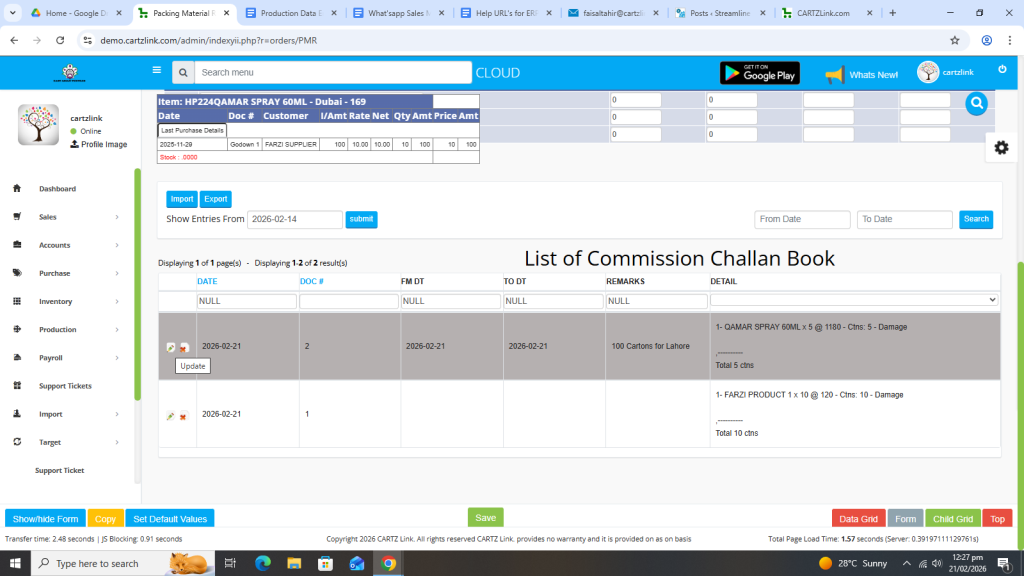
Packing Material Requirement:
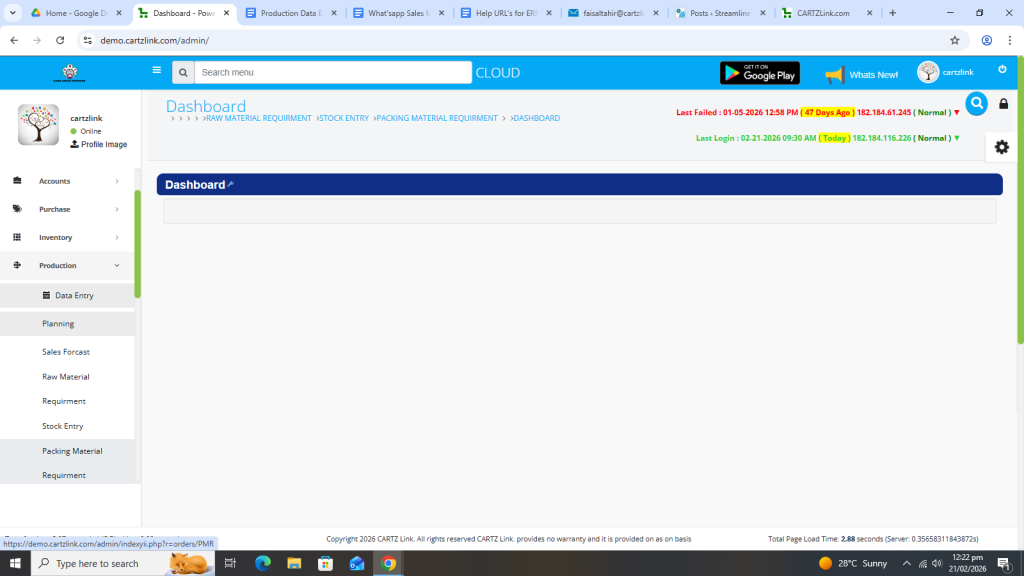
First click on Production, now click on Data Entry, then click on Planning and then click on Packing Material Requirement.
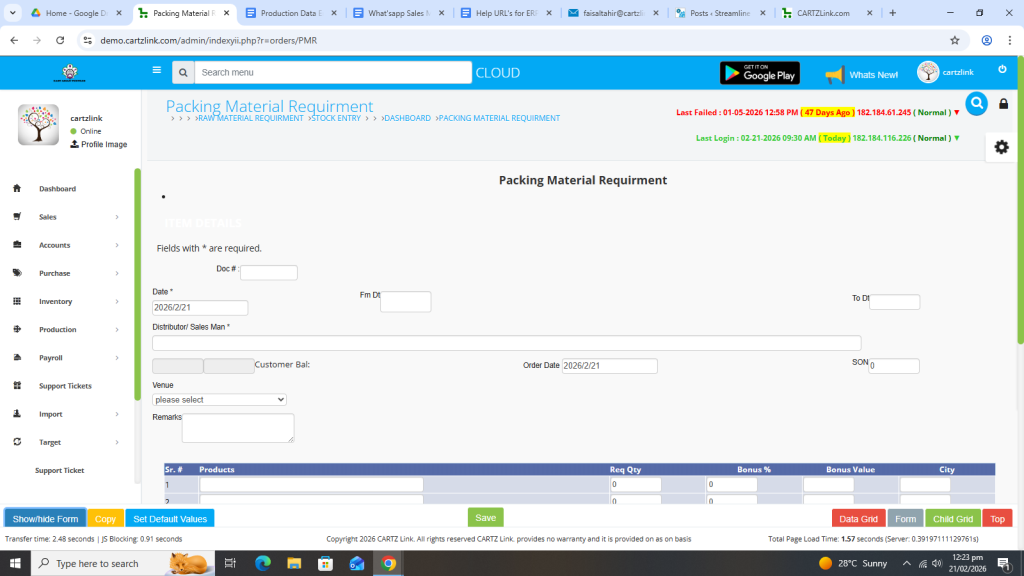
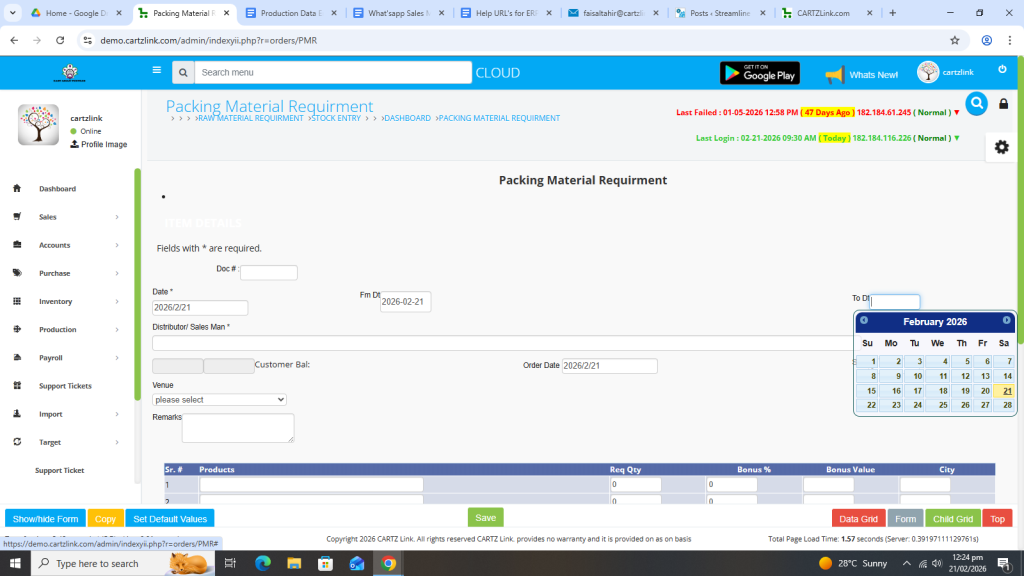
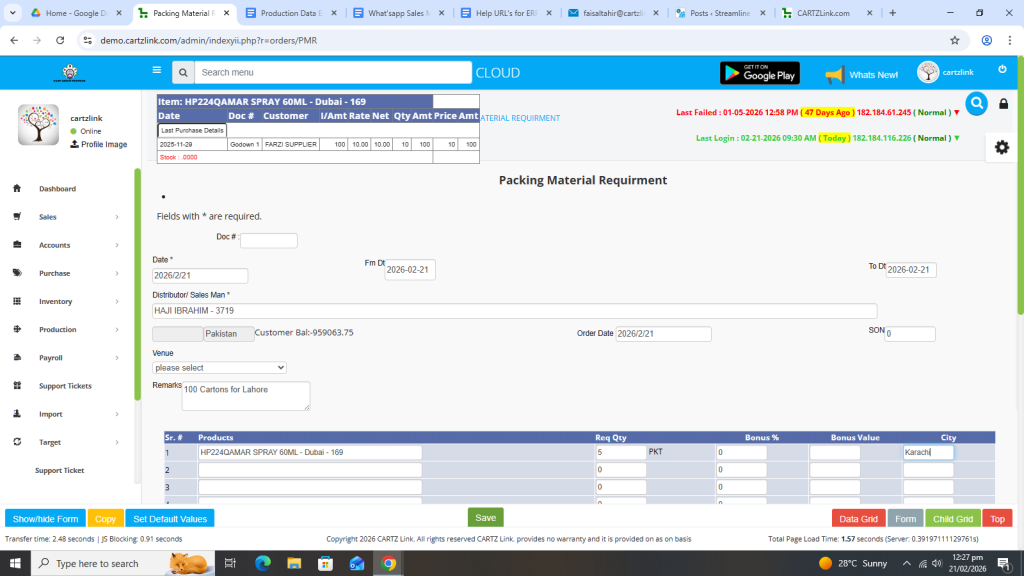
The following page will open as shown in the screen shot below.
Select From Date.
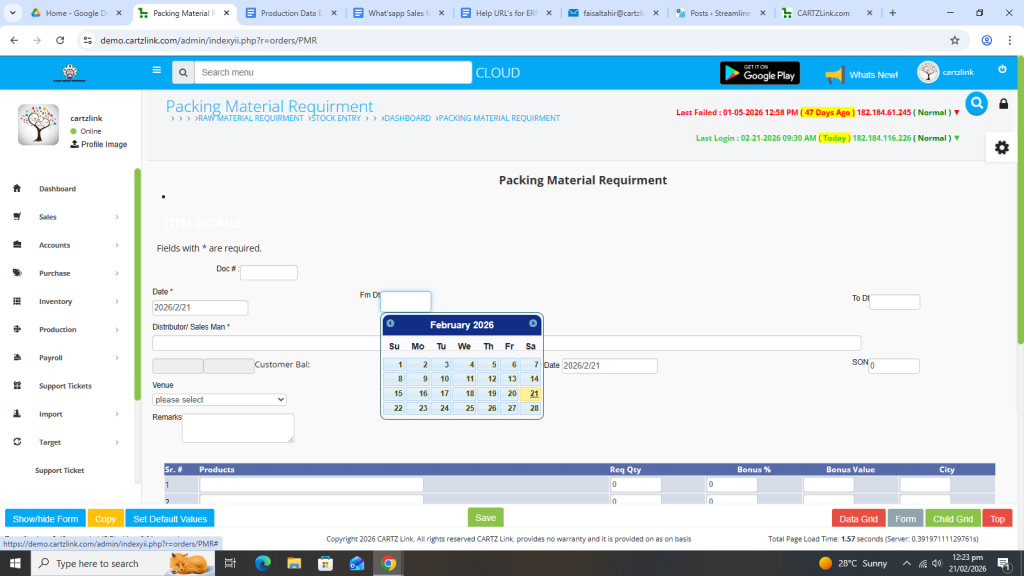
Now select To Date.
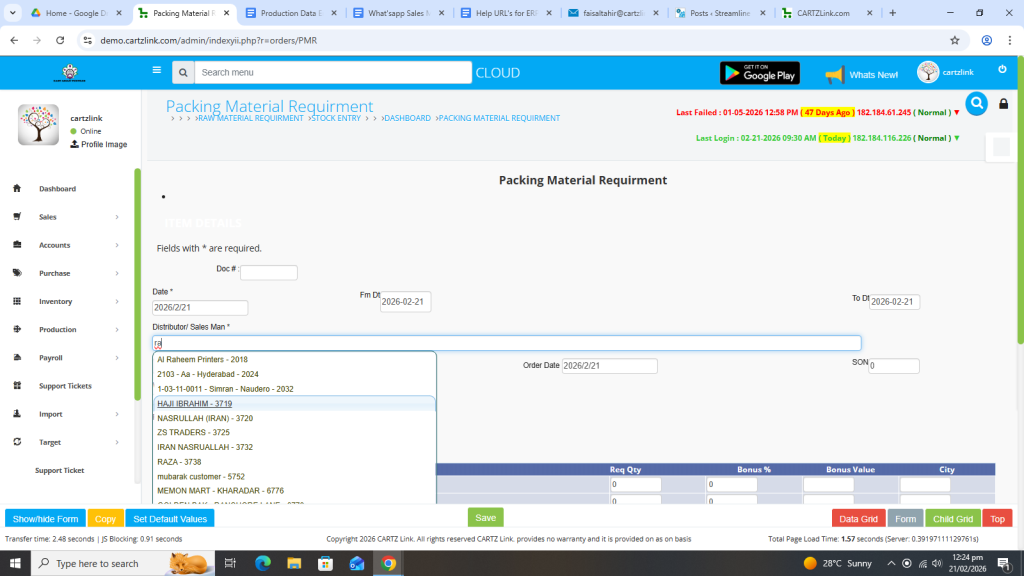
Select Distributor / Salesman.
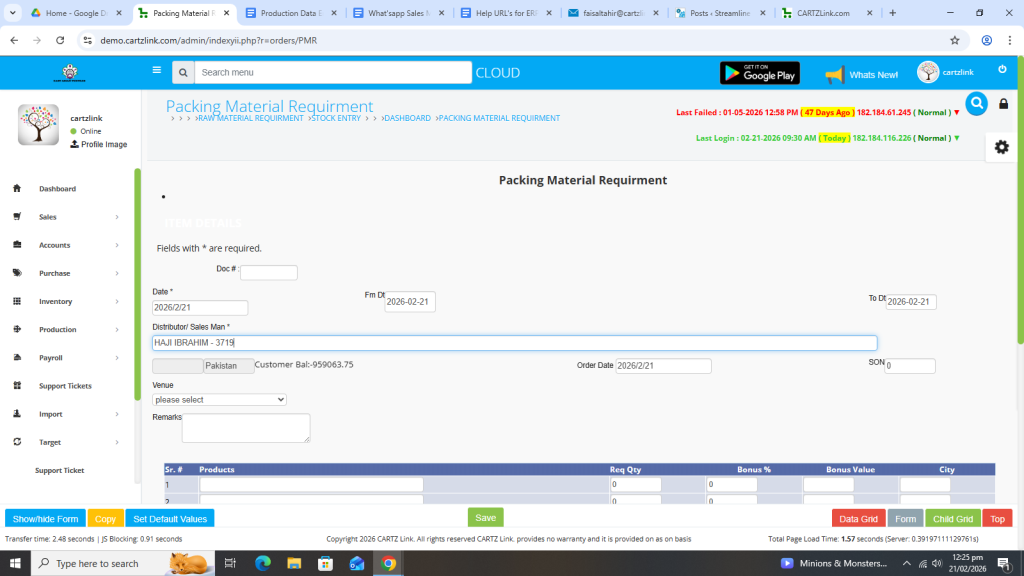
Customer Balance will appear automatically.
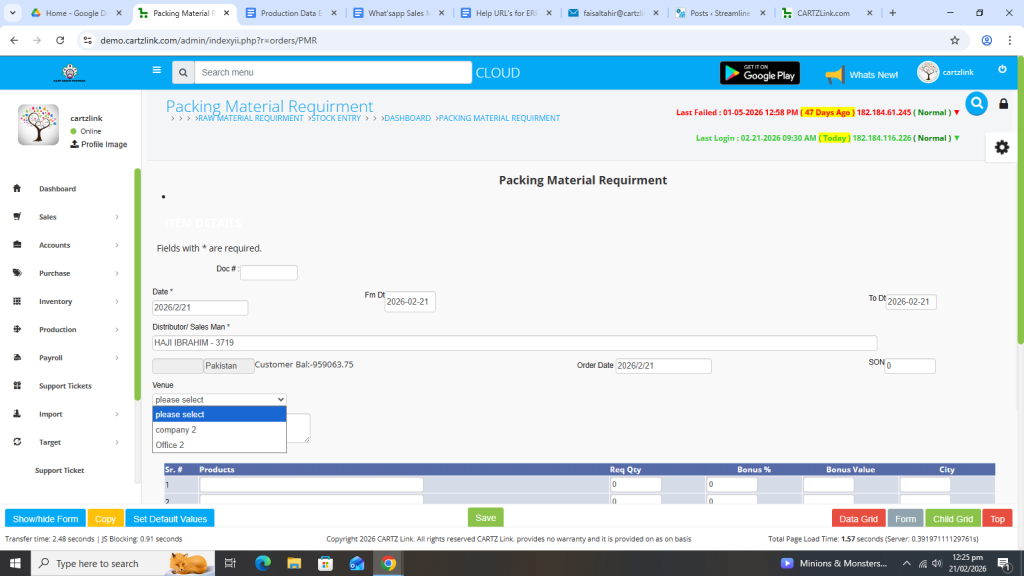
You may select the Venue.
Enter Remarks.

Now select the Product(s).
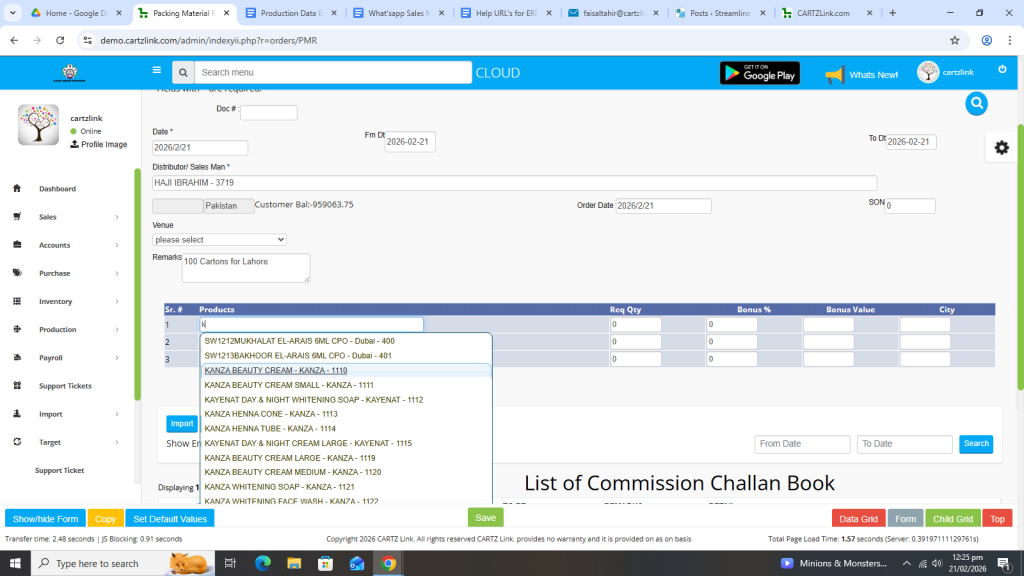
Once the product is selected, its details will appear automatically on top.
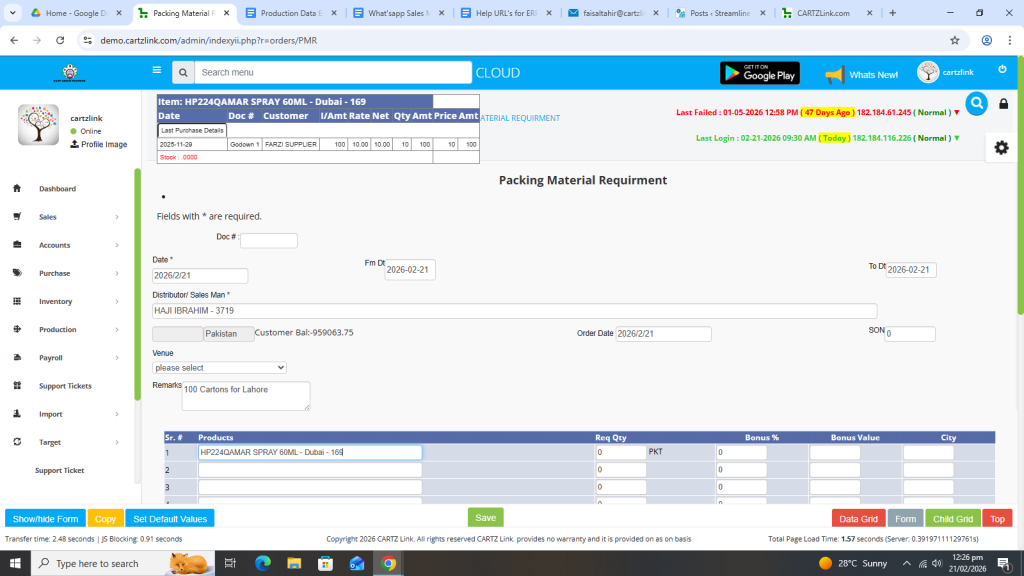
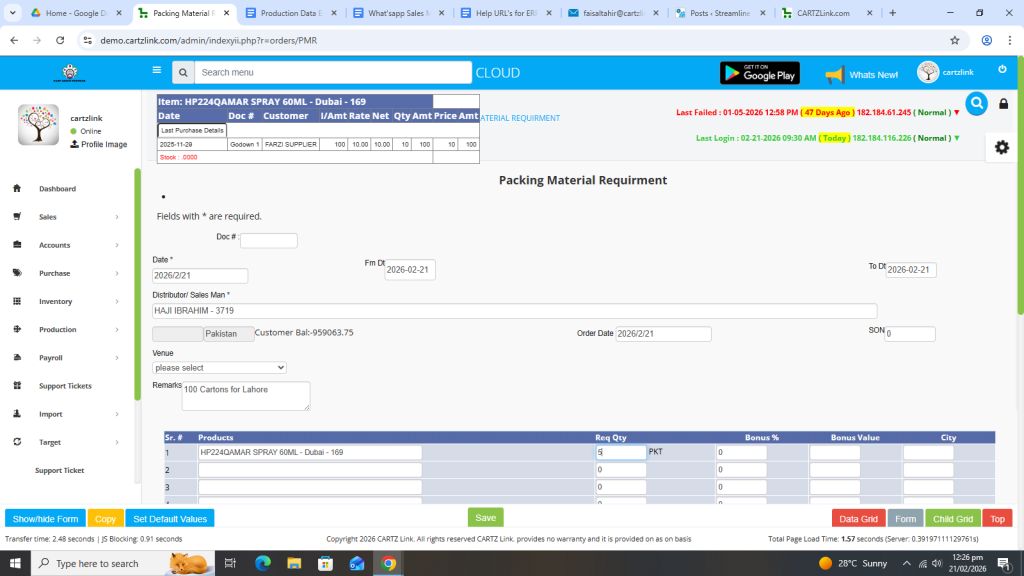
Enter Quantity.
Also you may select the city if required.
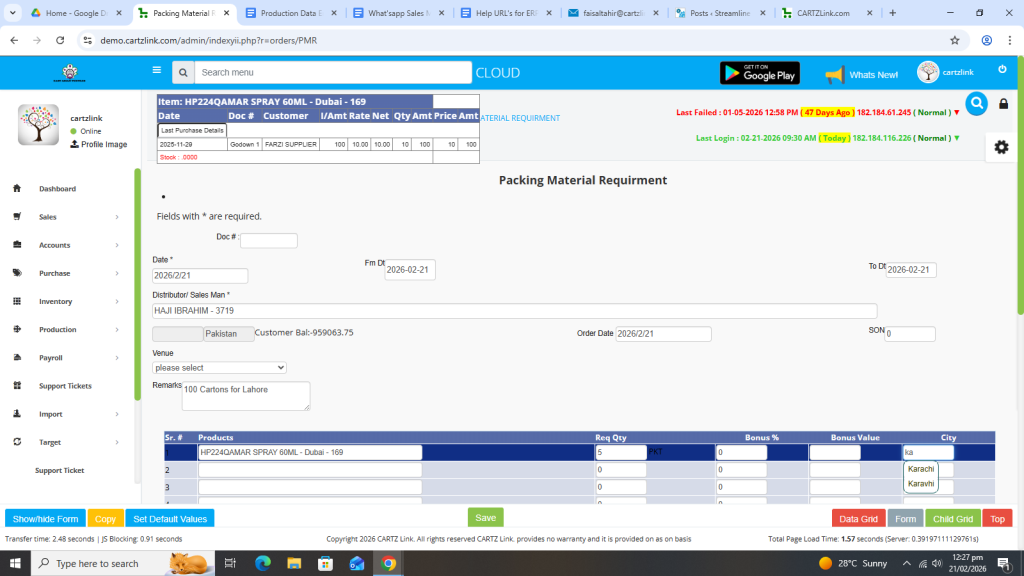
Once all information is completed, click on the Green Save button at the bottom.
Your record has been Saved.

You may edit it by clicking on the Update button against this record.