Packing Work Order:
This feature suggests the packing guideline for the batch of production. E.g if 1000 litres of paint are prepared in a batch then should it be packed in 10 drums of 100 litres or 100 buckets of 10 litres.
First click on Production, then click Data Entry and now click on Packing Work Order.
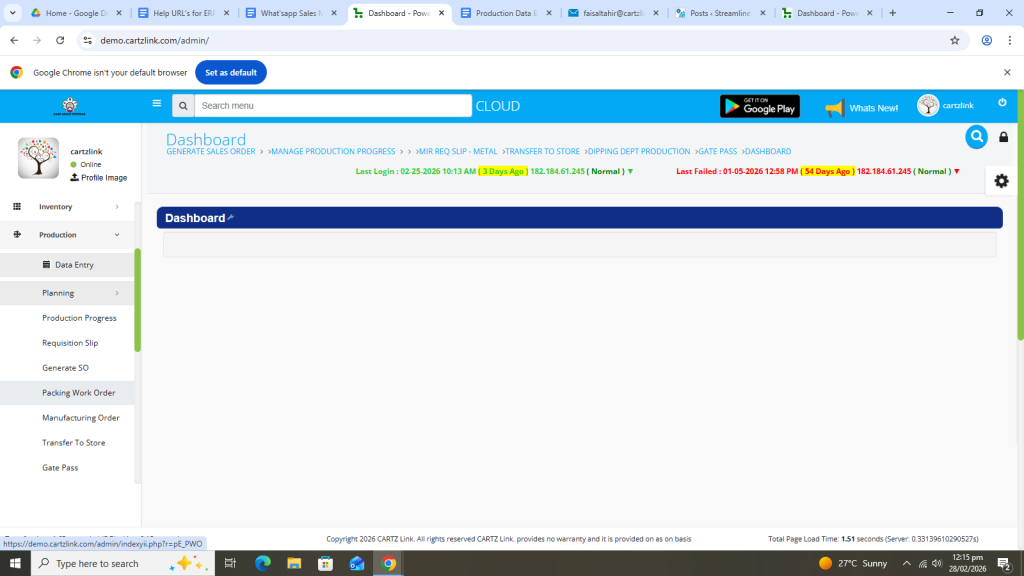
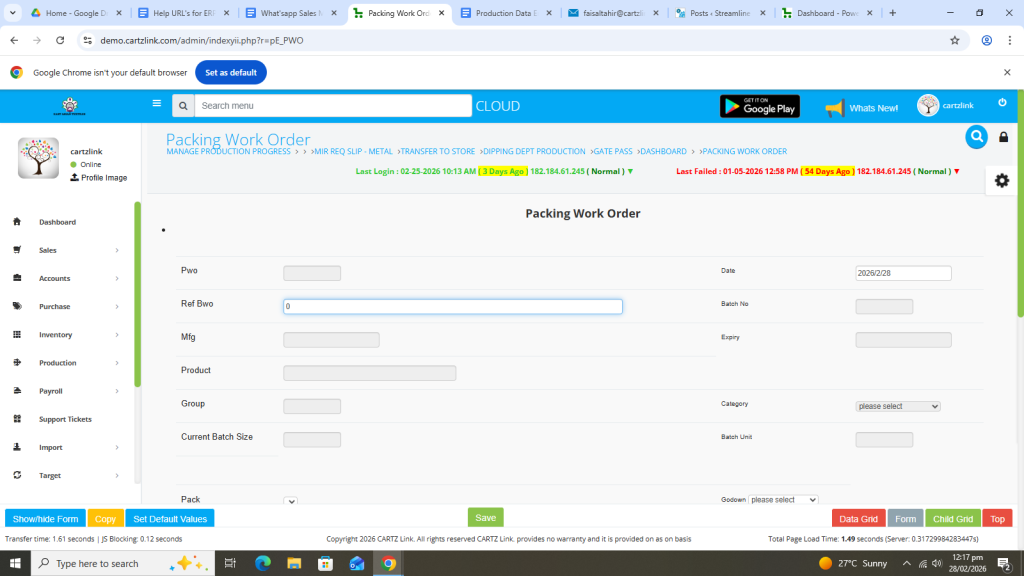
The following page will open as shown in the screen shot below.

First enter reference batch work order.
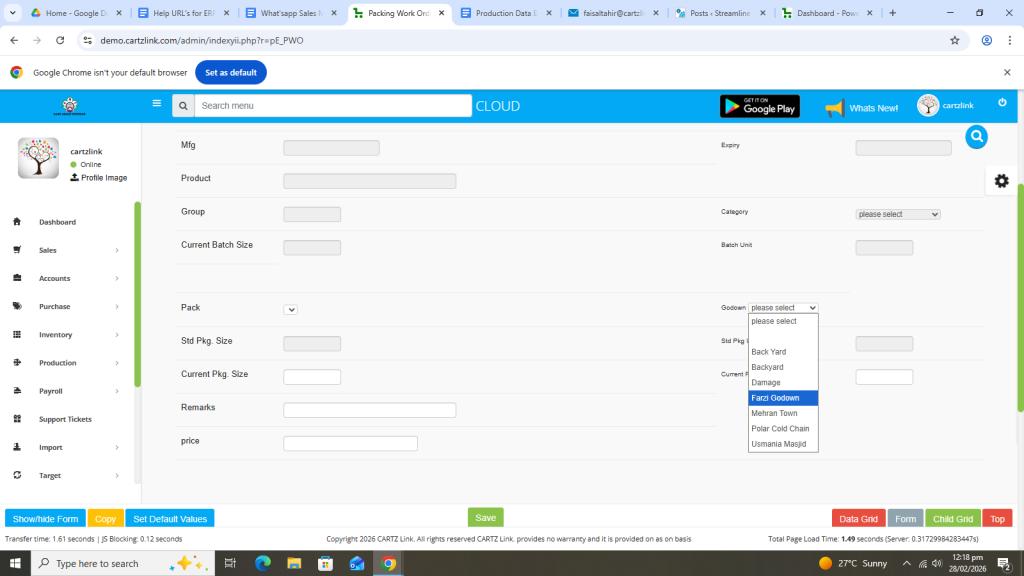
Select Godown.
Enter current Packing Size.
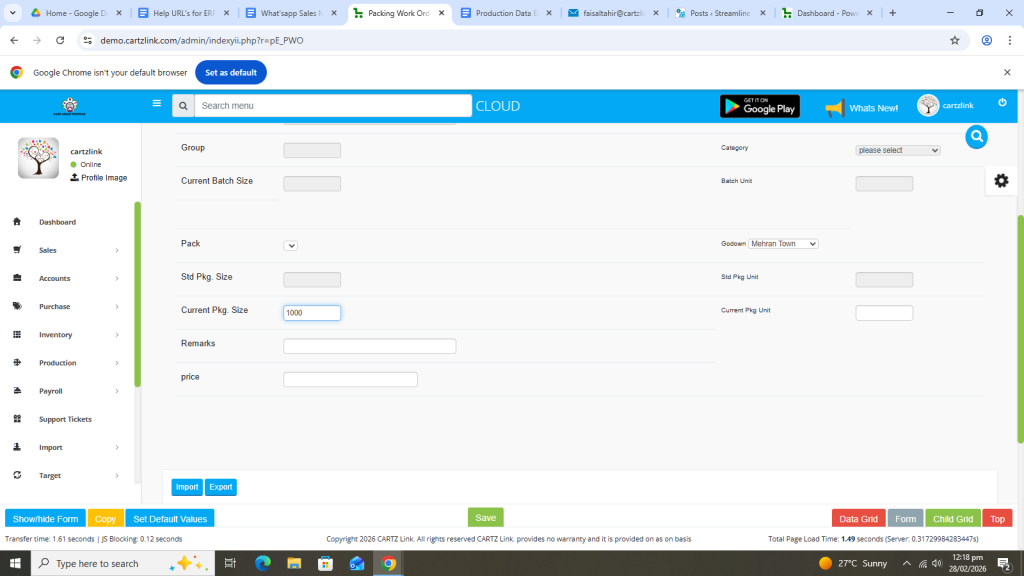
Now enter the current Packing Unit.
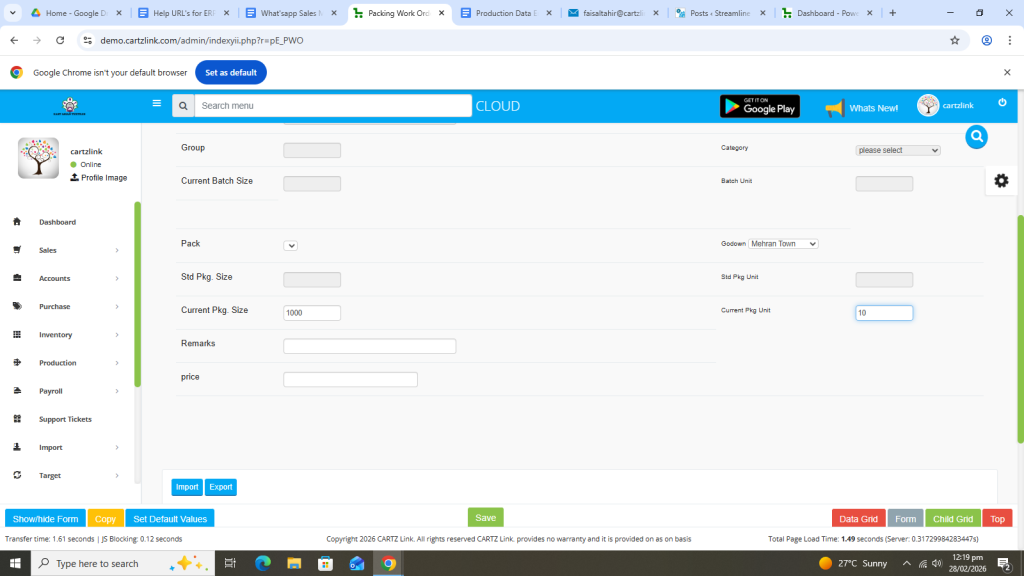
Enter Remarks.

Enter Price.
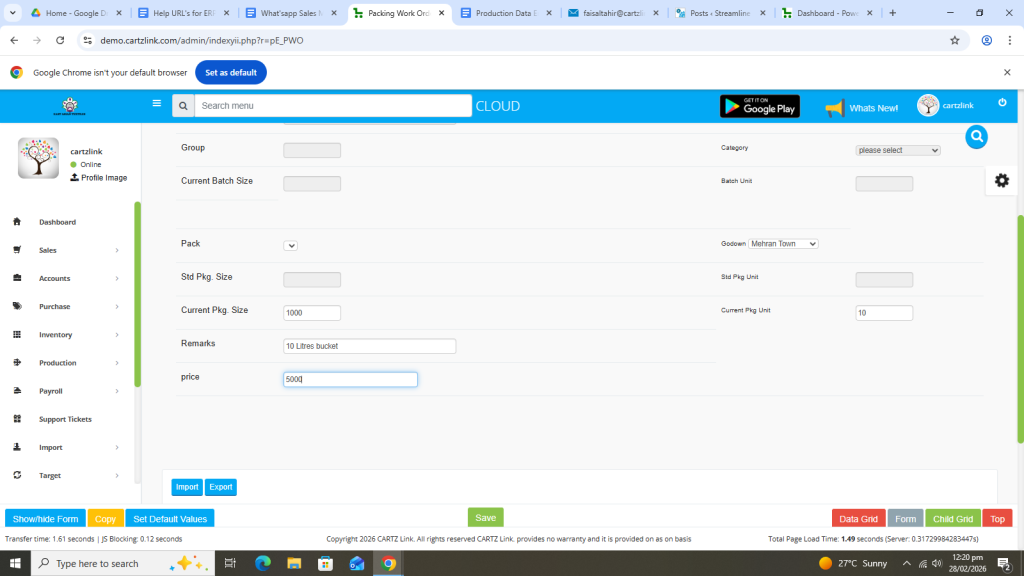
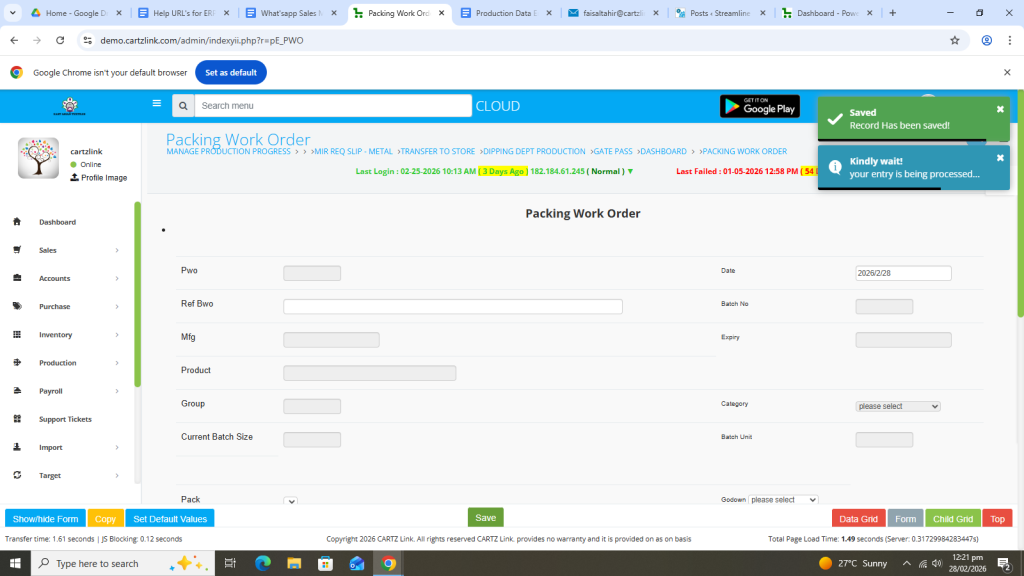
Once all information is completed, click on the Green Save button at the bottom.

Your entry has been Saved.
You may edit it by clicking on the update button against this record.
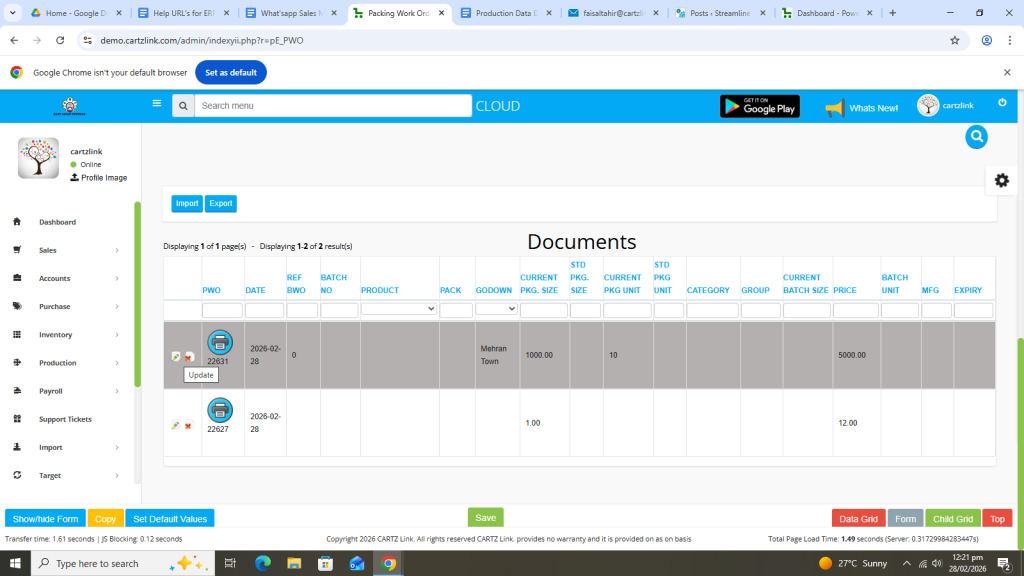
A printing option is also available against this feature. Click on the Printer Icon against this entry.
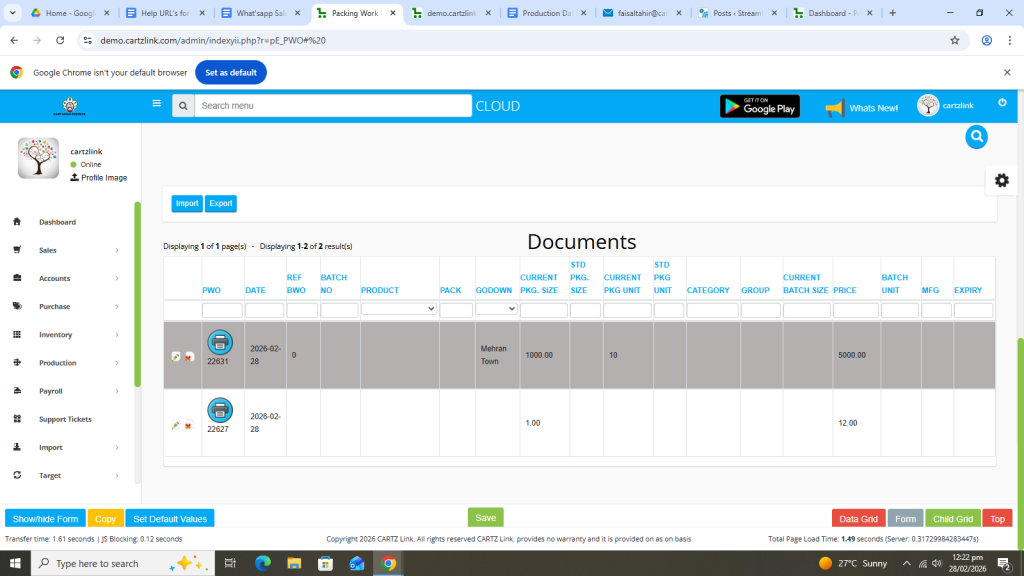
Now click on Print Packing Work Order.
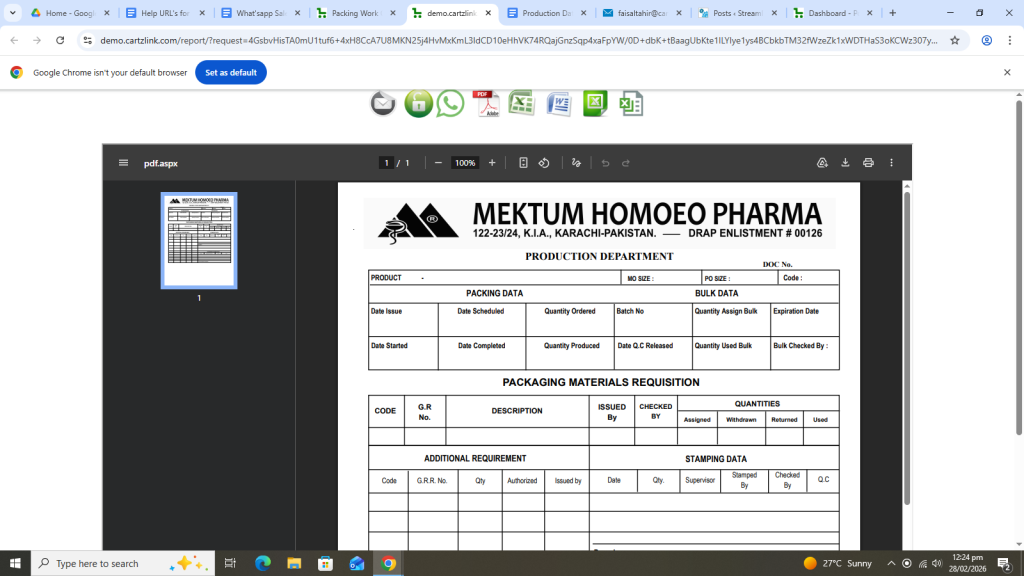
The Packing Work Order Document will open in a new window with Print / Save options.
