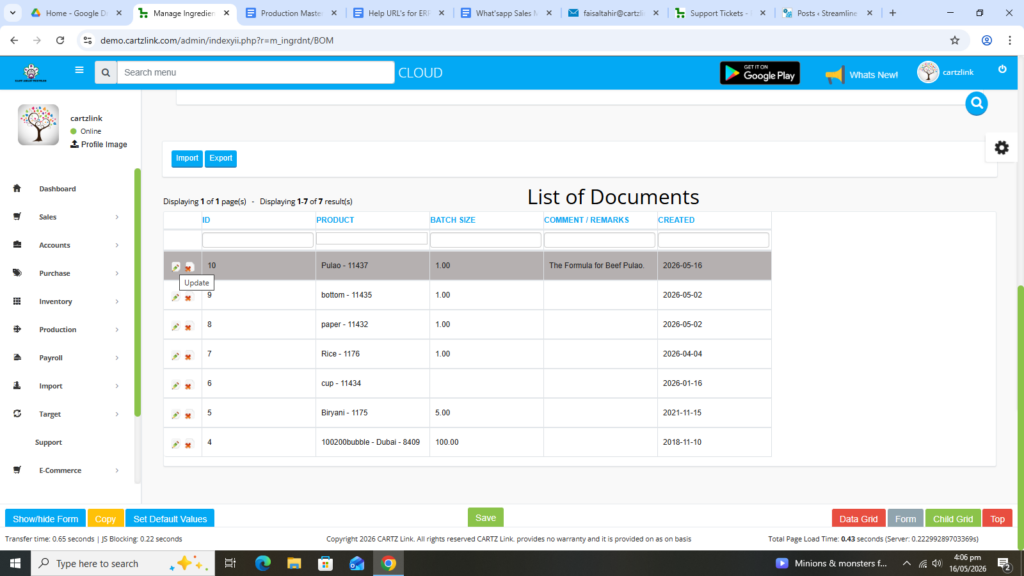
Ingredient Formula:
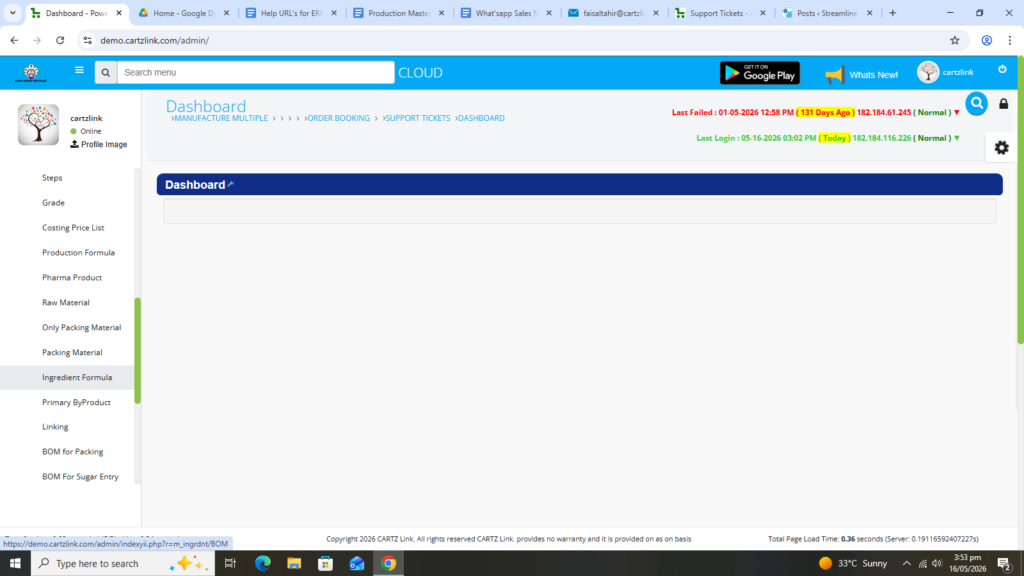
The Formula for a product is very crucial for any business. For this, we have a separate function in our system which stores the formula for any product. Go to Production, then click on Master Entry and now click on Ingredient Formula.
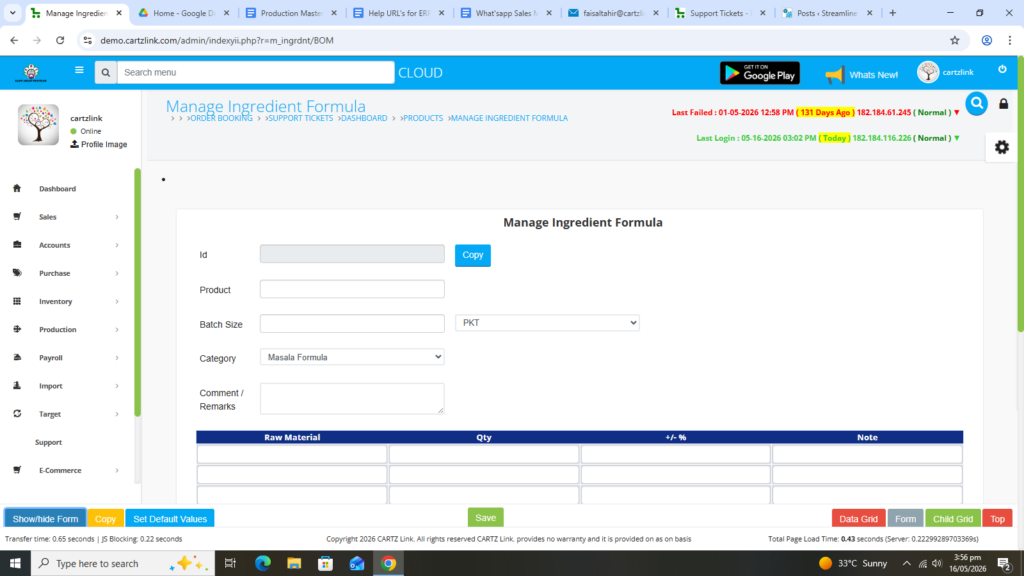
The following page will open as shown in the screen shot below.
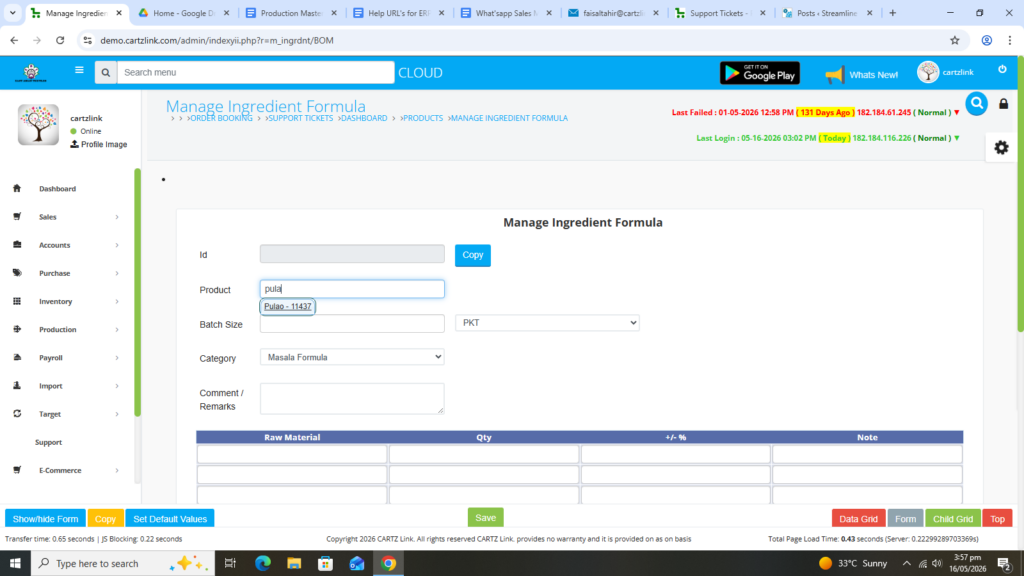
Now first select the product for which the Formula is to be defined.
Next enter Batch Size.
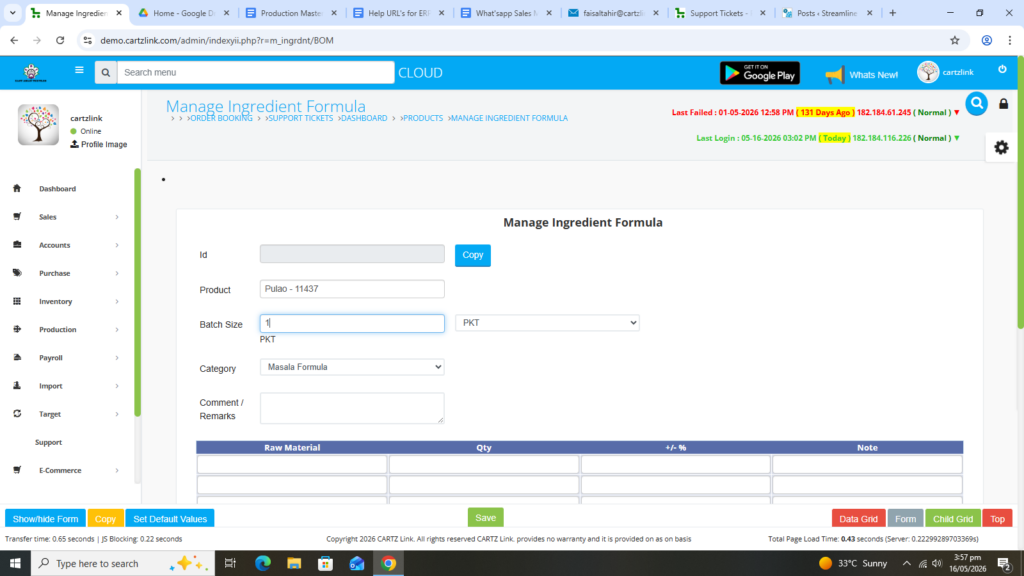
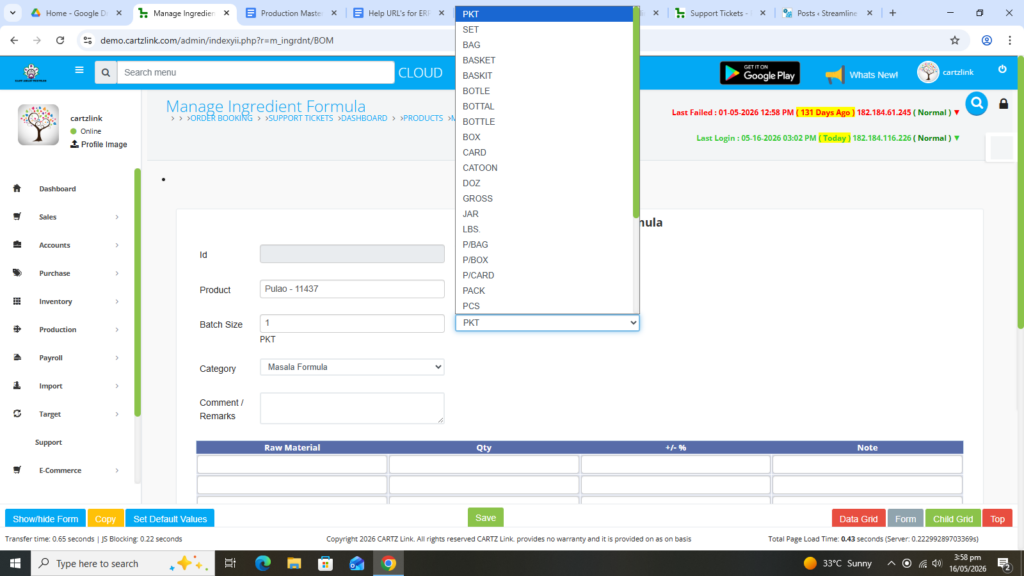
Also you select the packing type of this product.
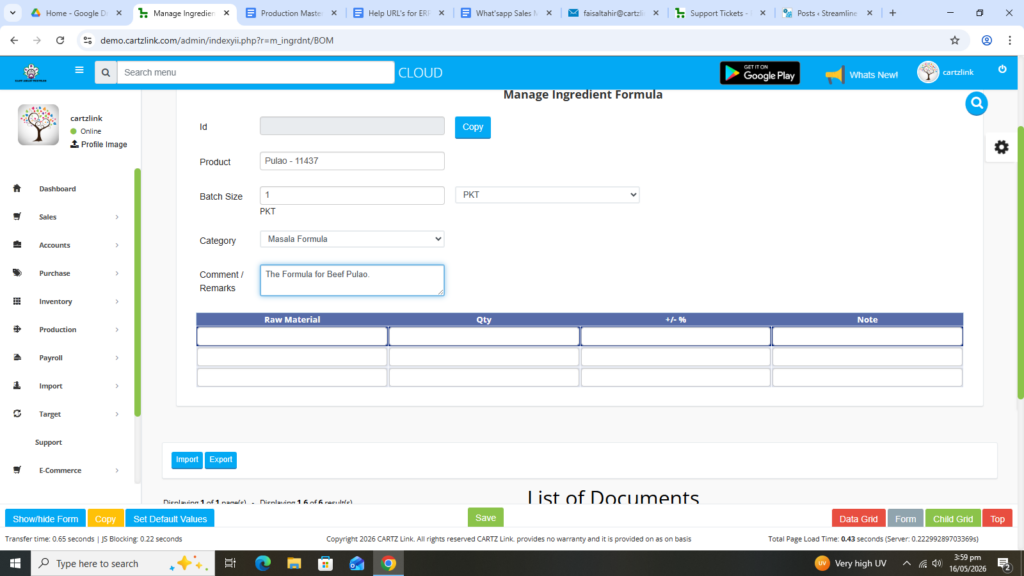
You may enter the comments as an optional feature.
Now select the Raw Material Ingredient (Formula) for this product.
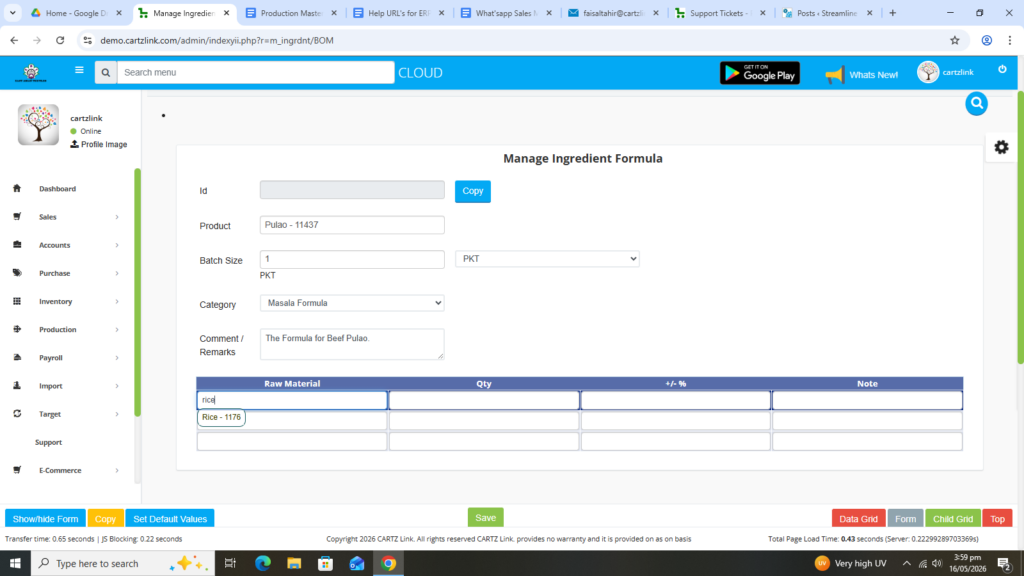
Next enter Quantity against this Raw Material for your specific product which was selected above.
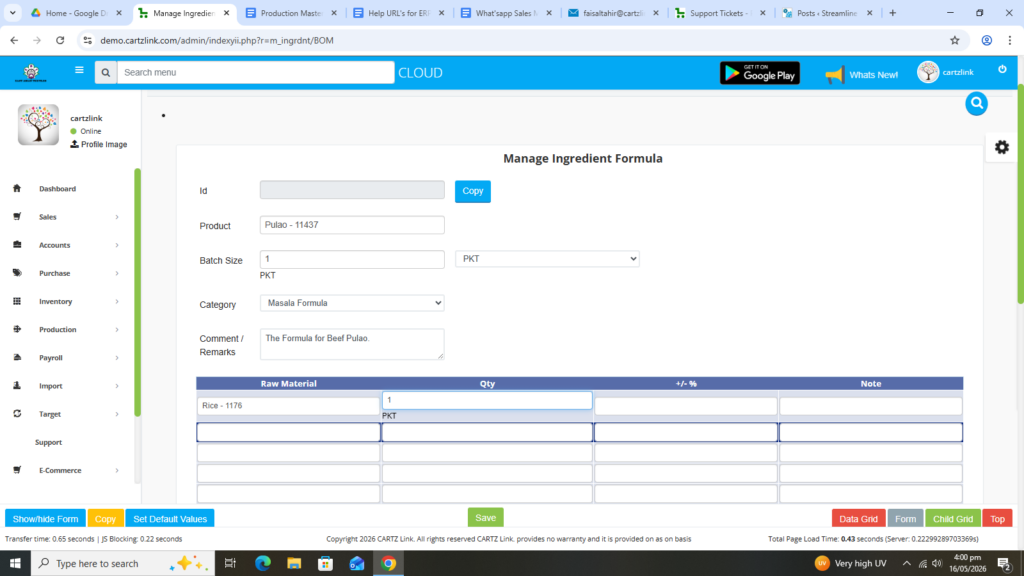
Also you may enter Remarks / Note.
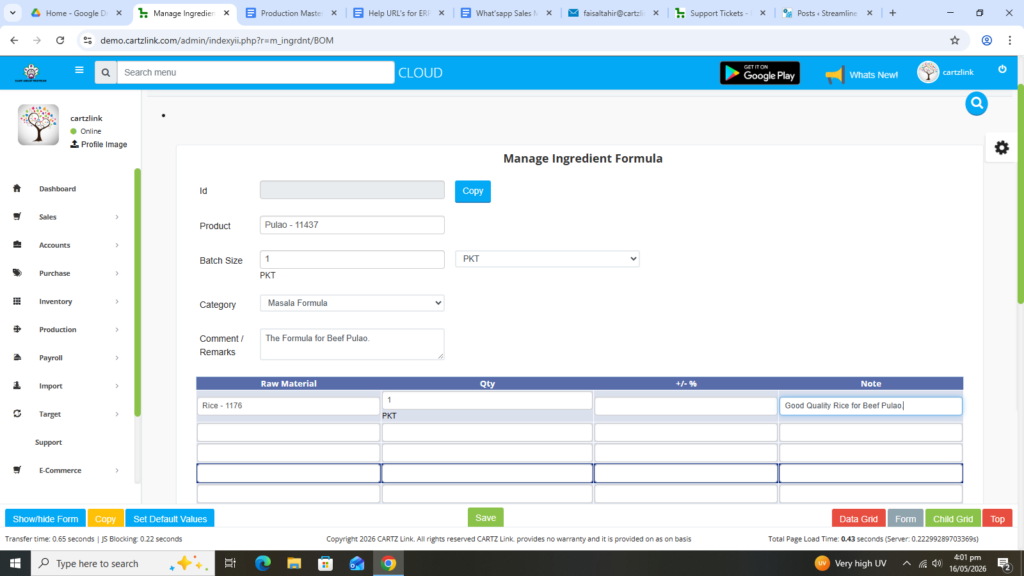
Now select the second or third Raw Material Ingredient (Formula) against this product.
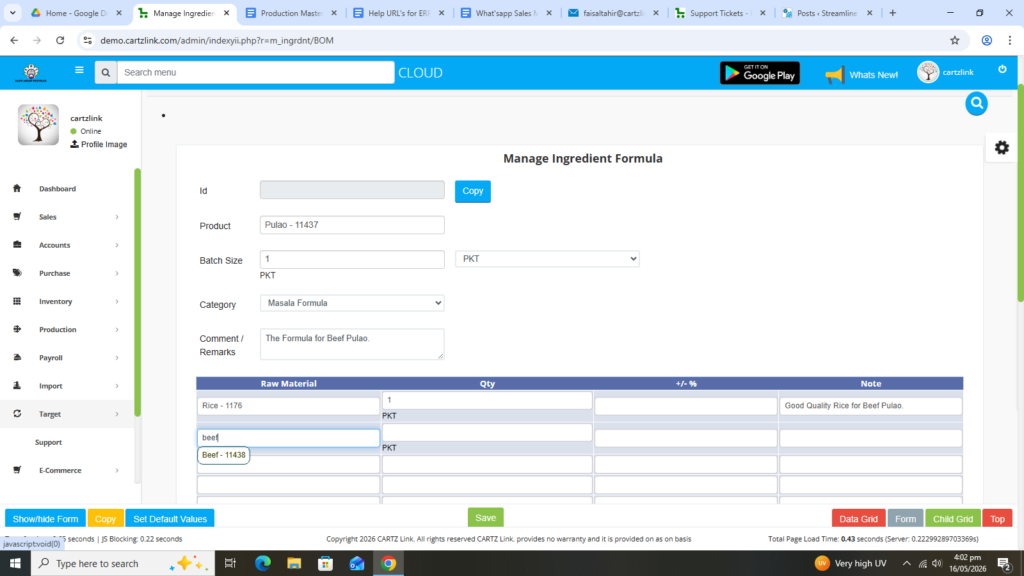
Enter Quantity against the second Raw Material selected for this product.
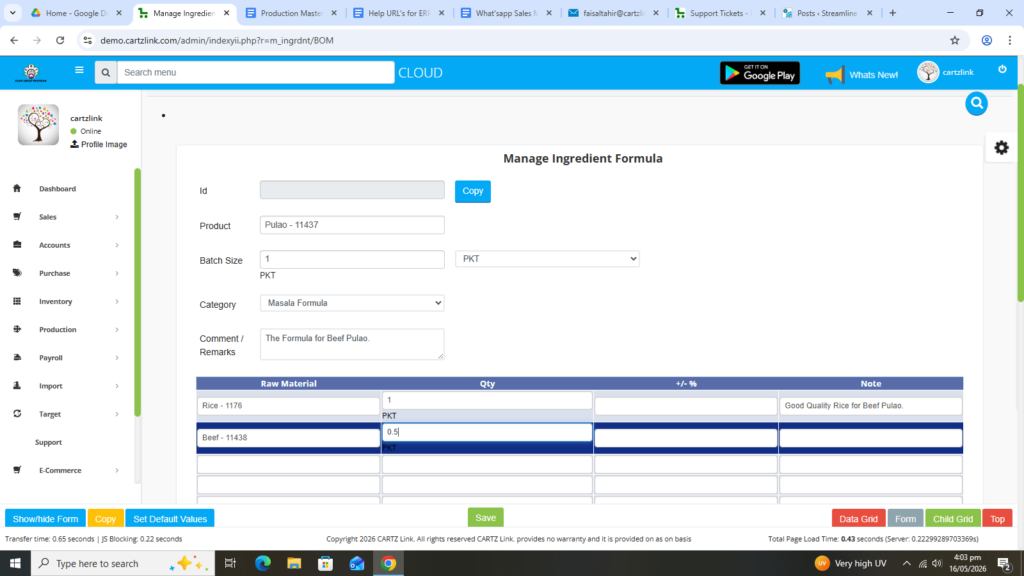
Also you may add Remarks / Notes.
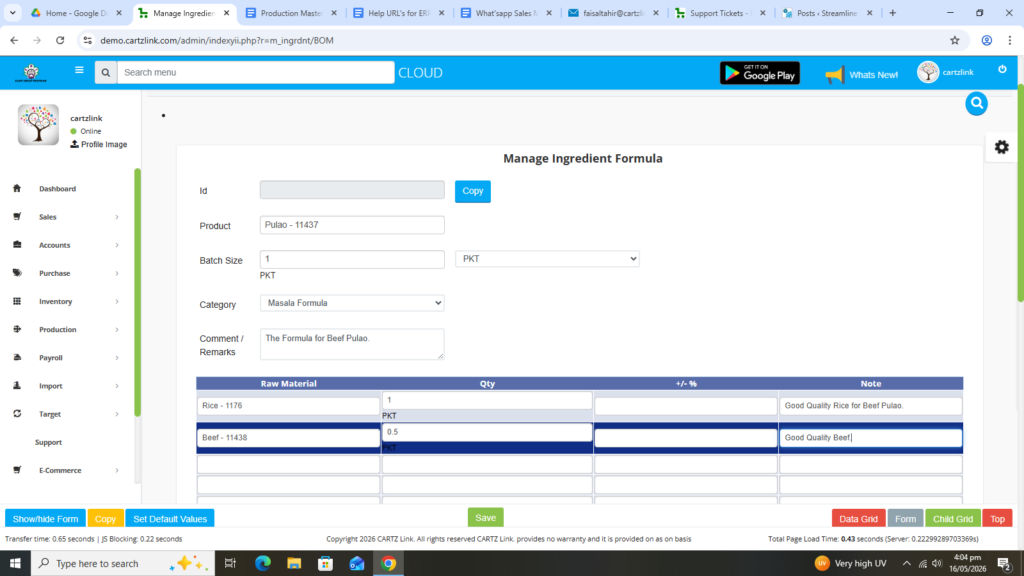
Once all the ingredients (formula) are defined against the product, click on the Green Save button at the bottom.
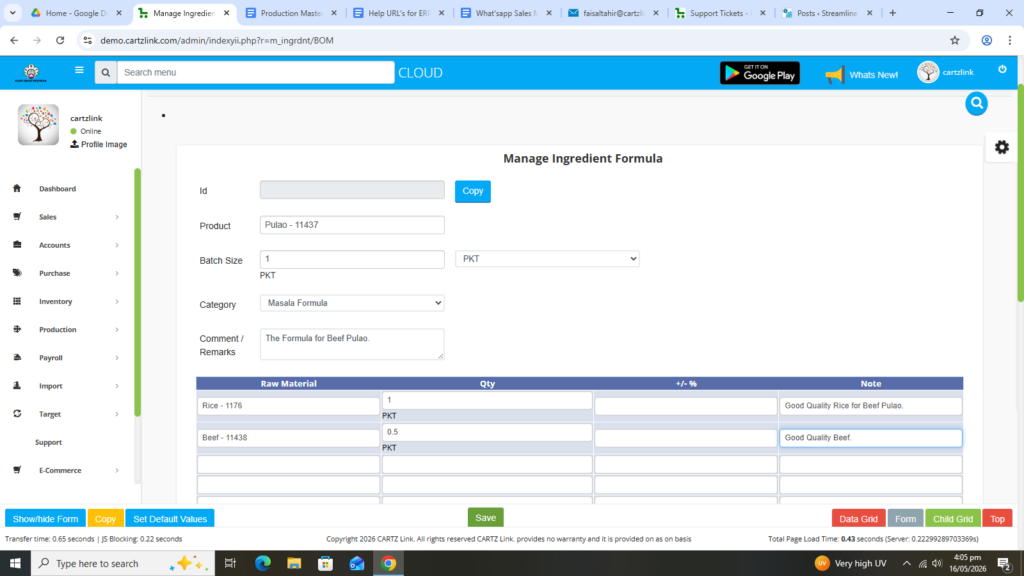
Your Formula against the product has been defined and Saved.
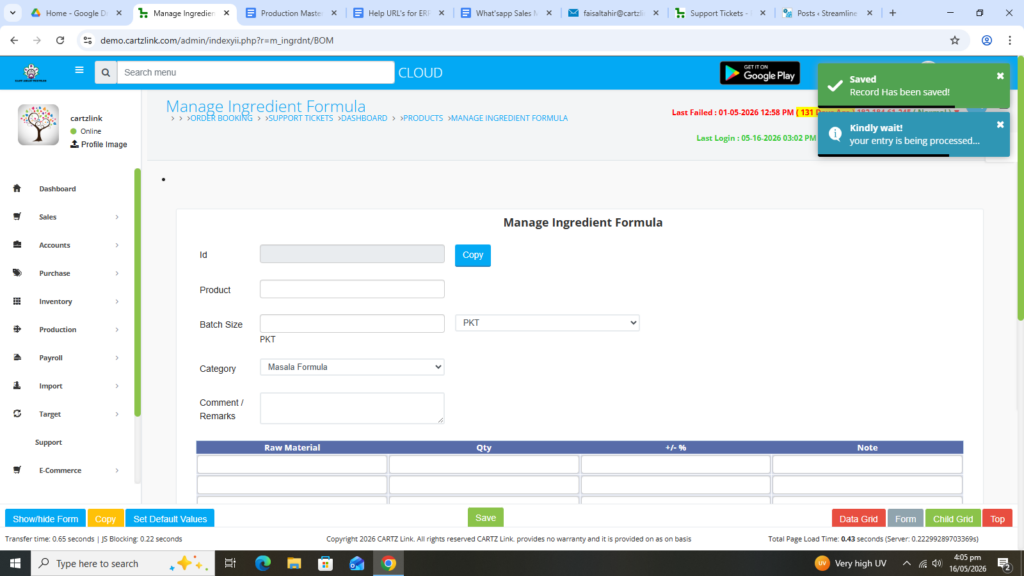
You may edit your formula by clicking on the update button against this record.