Sign up:
All the new sign ups for the system can be made through this option. Go to Accounts, then click on Master Entry and then click on Sign Up.
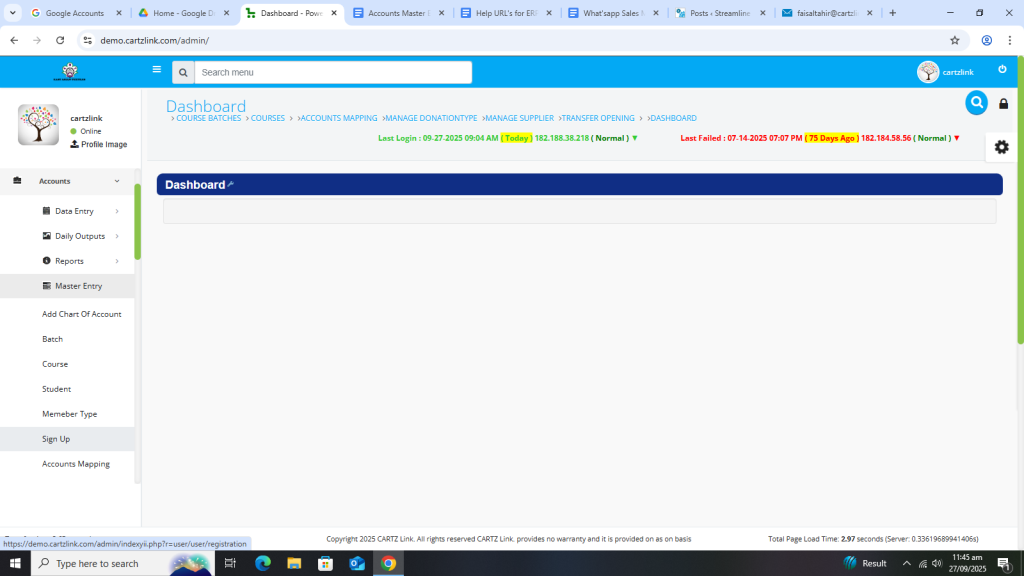
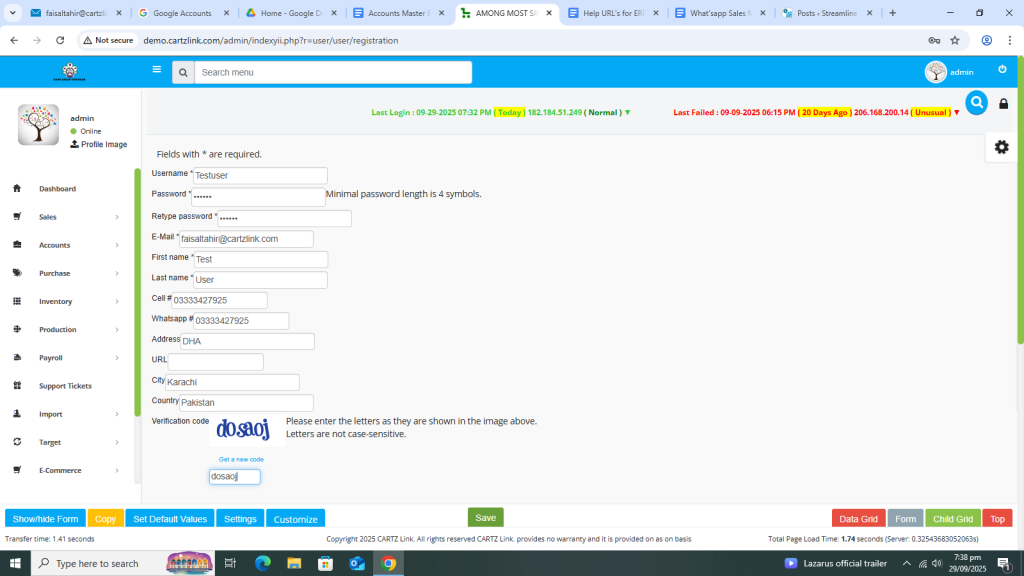
The following page will open as shown in the screen shot below.
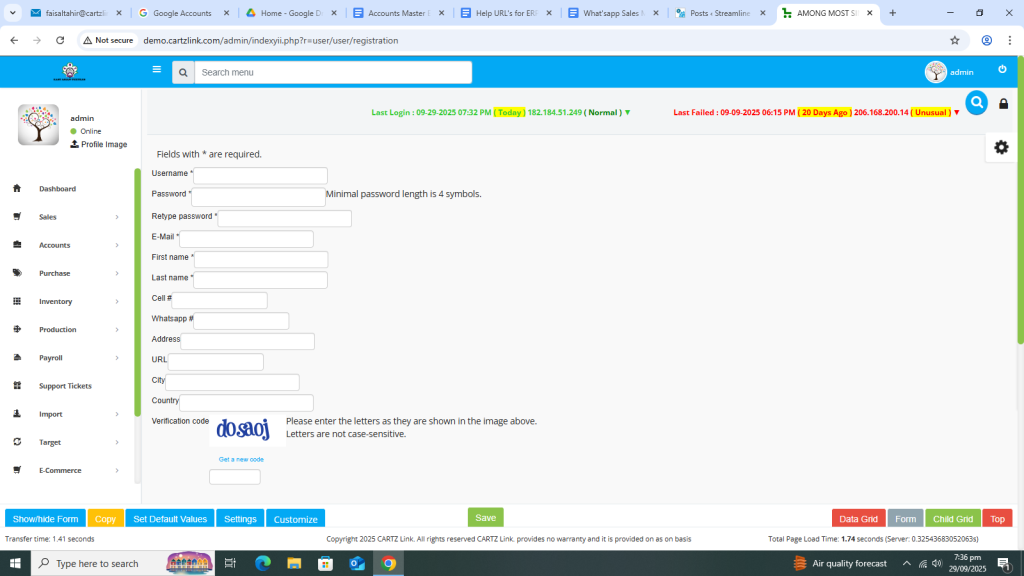
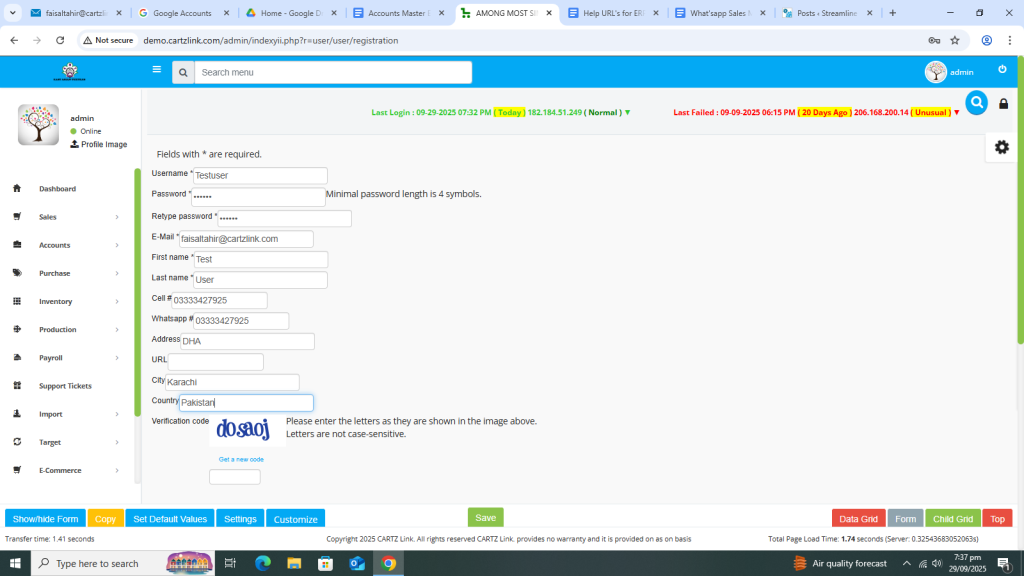
Now fill up all relevant mandatory fields such as User Name, Password, Email, First Name, Last Name, Cell number etc.
Also input Verification Code correctly.
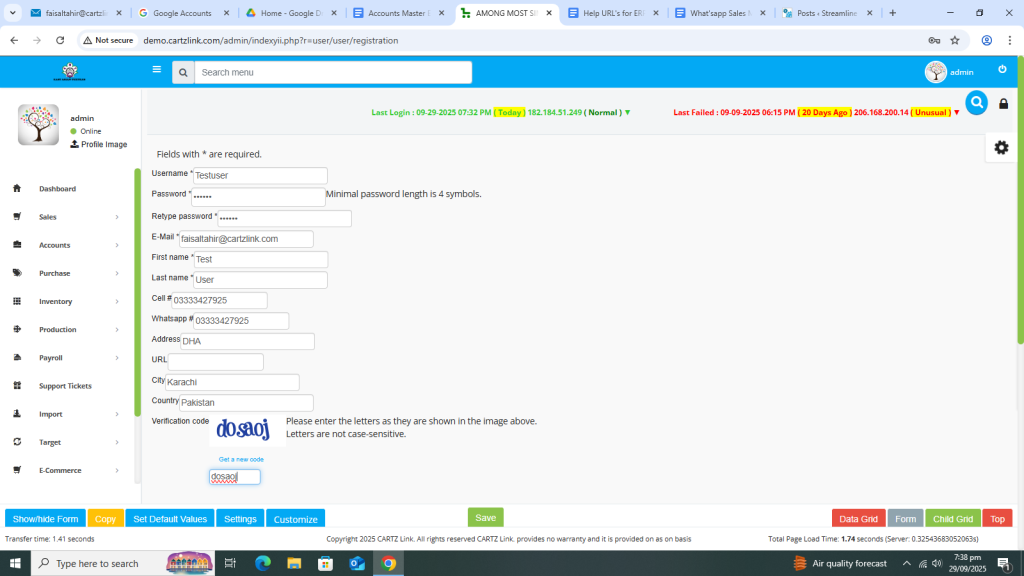
Now click on the Green Save button at the bottom.
Your New User will then be created and saved. You may log in with new user credentials in the system now.
