• Home
  • FAQs
  • Login
Streamline Systems
  • Home
  • FAQs
  • Login

Sales Order

/AI Input /ERP / CRM / ERP Manual / Sales Order
  • June 22, 2024
  • faisaltahir
  • AI Input / ERP Manual

A Sales Order is a document generated by a seller for its internal use in processing a customer order. The sales order confirms the terms of a transaction between a buyer and seller.

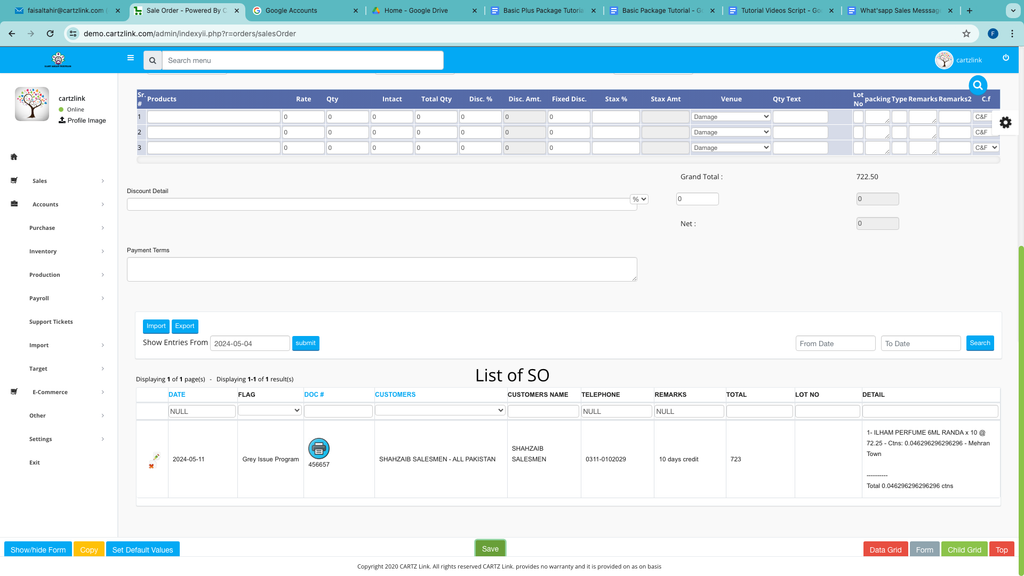
First click on Purchase then click on Data Entry then click on Sales Order.
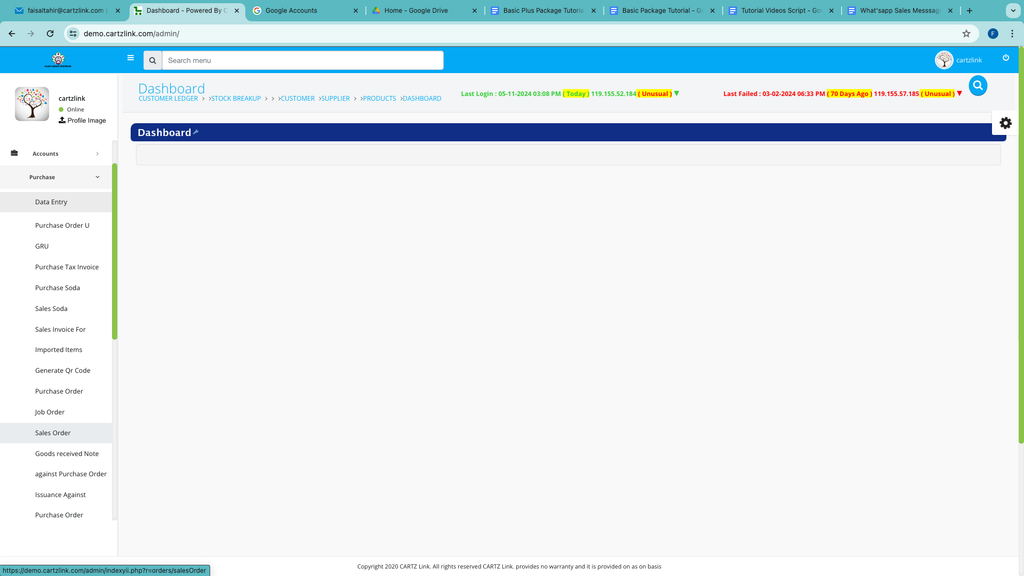
A new form will open as shown in the below screenshot.
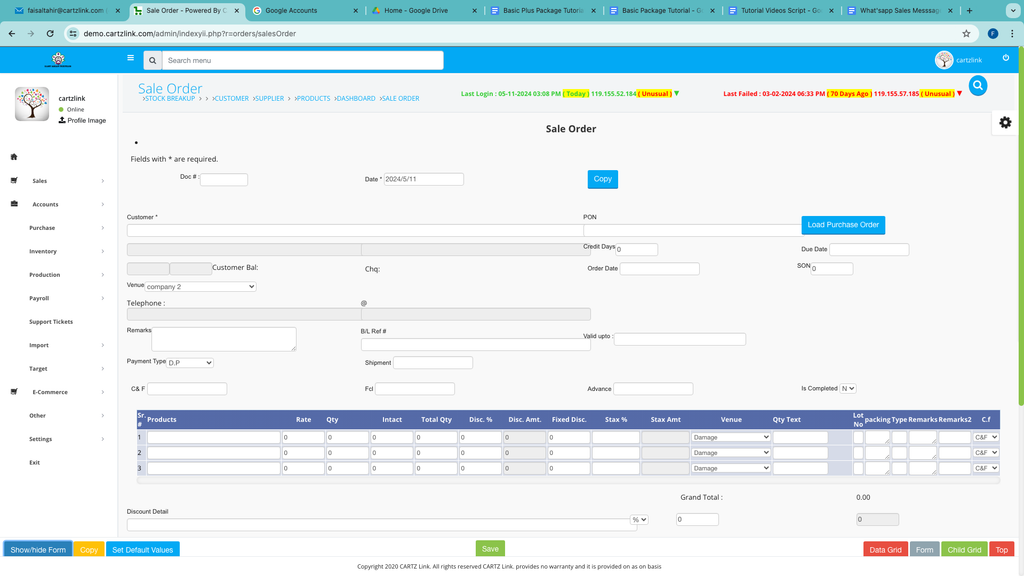
Now input the required details and click on save.
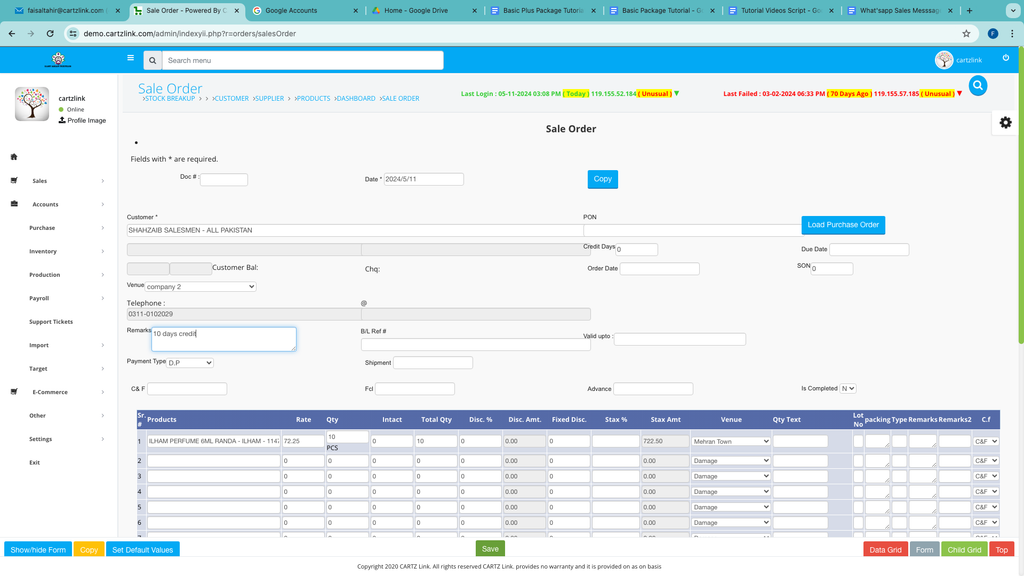
Your sales order has been created.
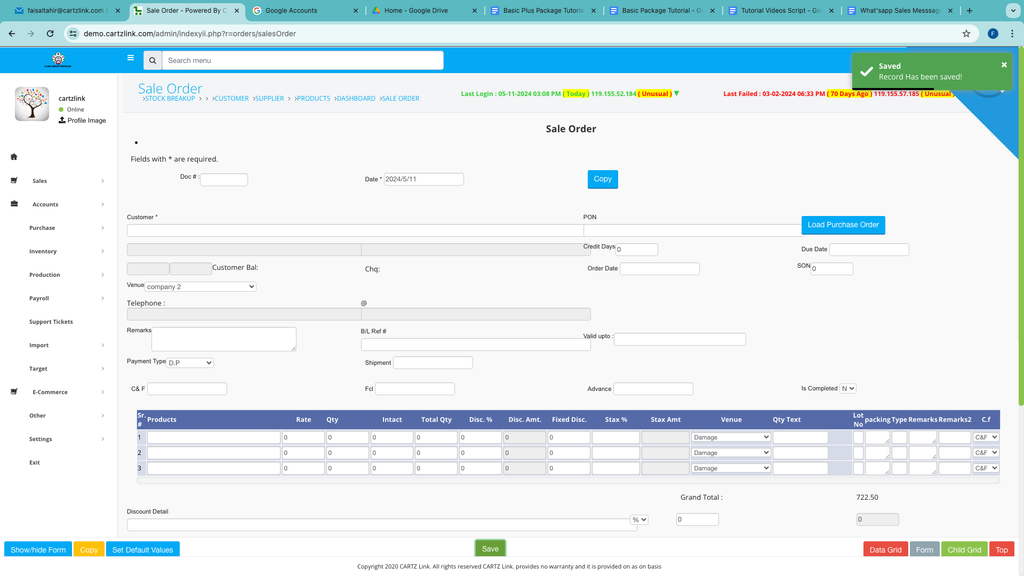
This Sales Order can also be edited if required.
A detailed video for Sales Order creation can be viewed by clicking on the following URL.

A Sales Order is a document generated by a seller for its internal use in processing a customer order. The sales order confirms the terms of a transaction between a buyer and seller. 

First click on Sales, then click on Transactions and now click on Sales Order.
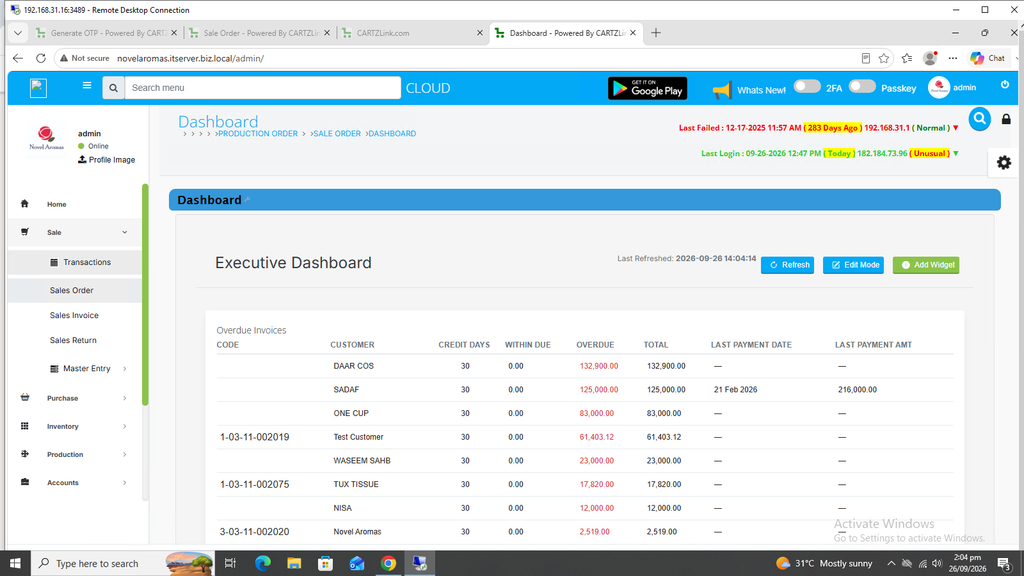
The following page will open as shown in the screen shot below.
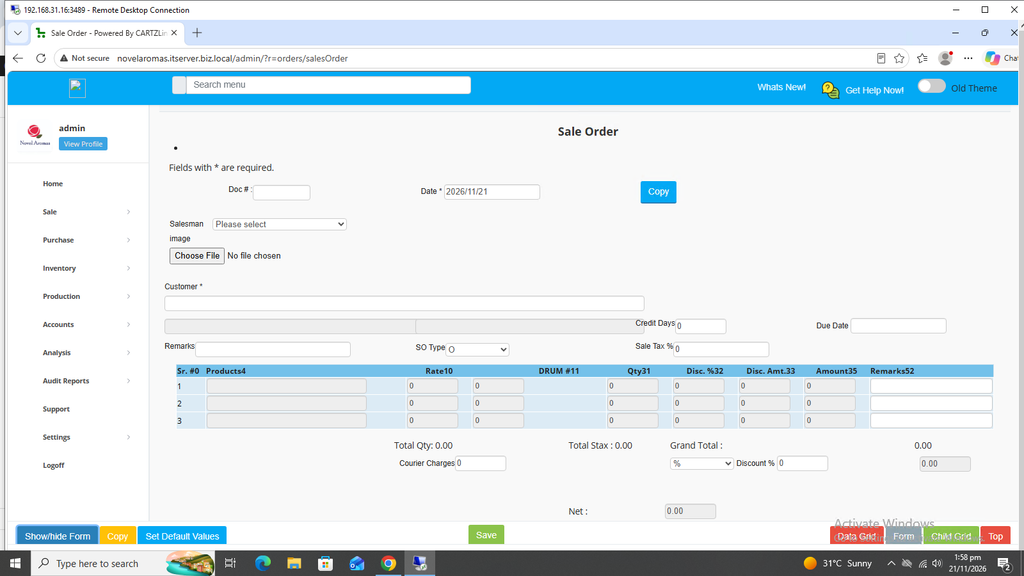
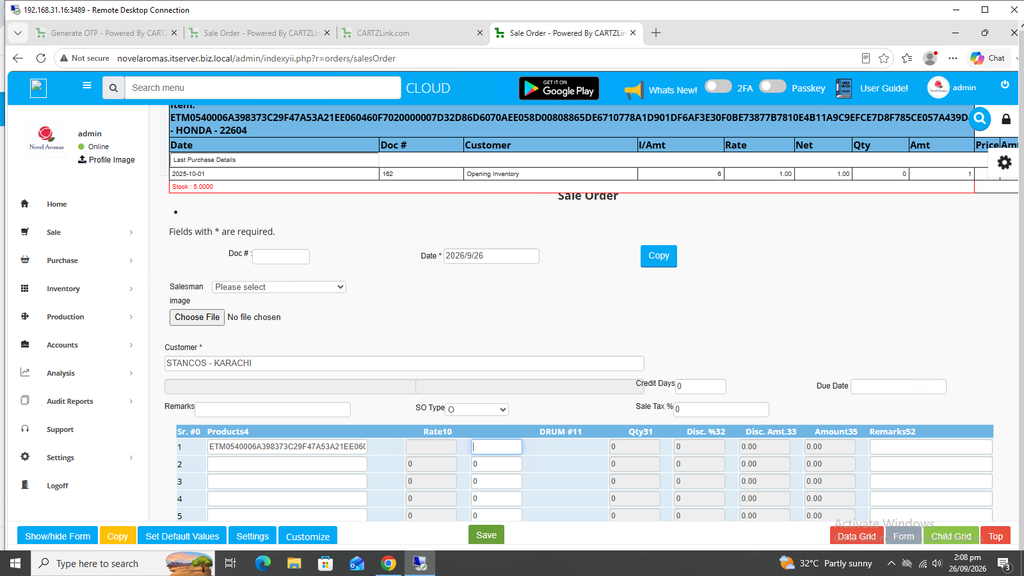
First select the customer.
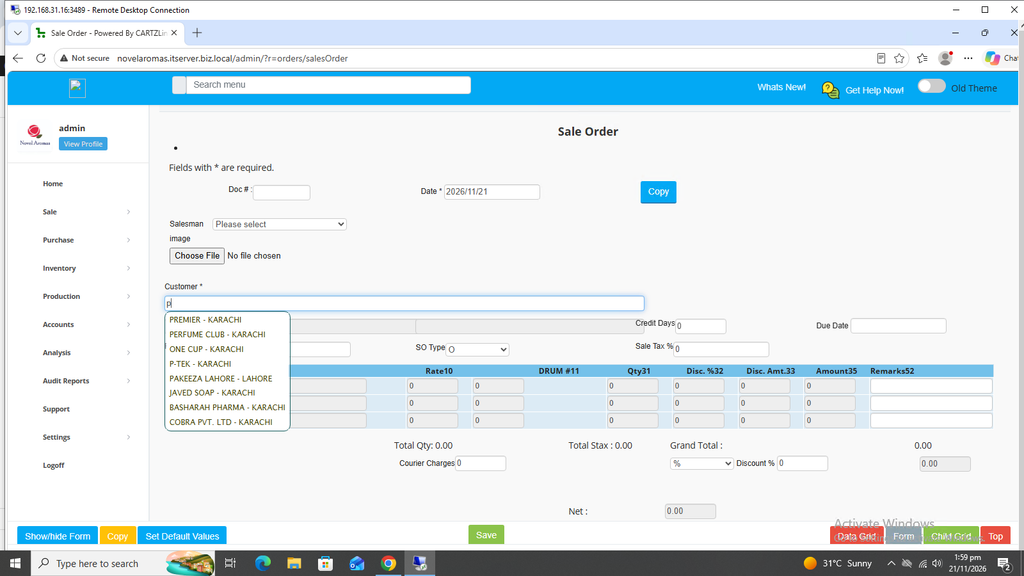
You may enter Credit Days.
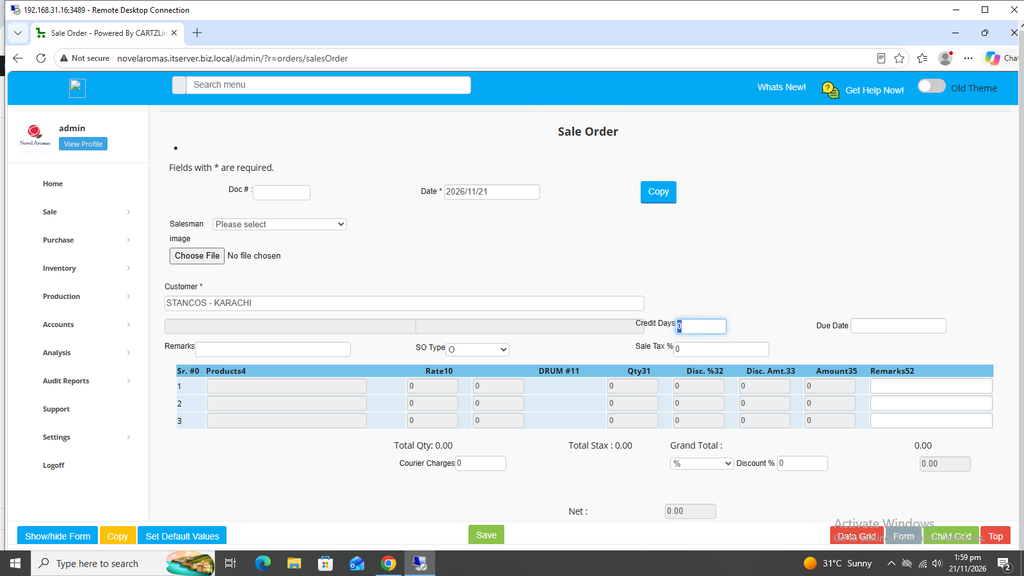
Also remarks can be added.
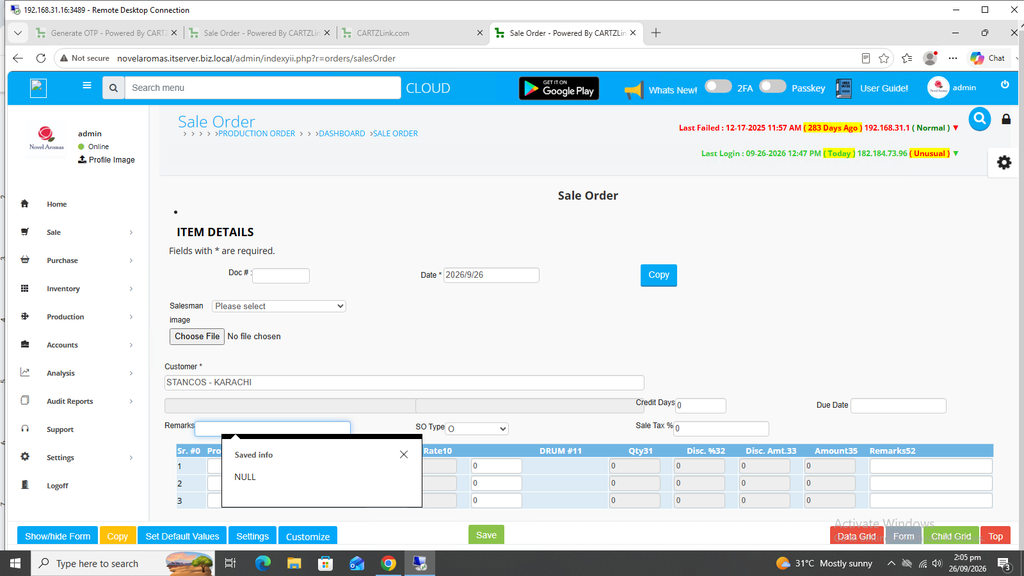
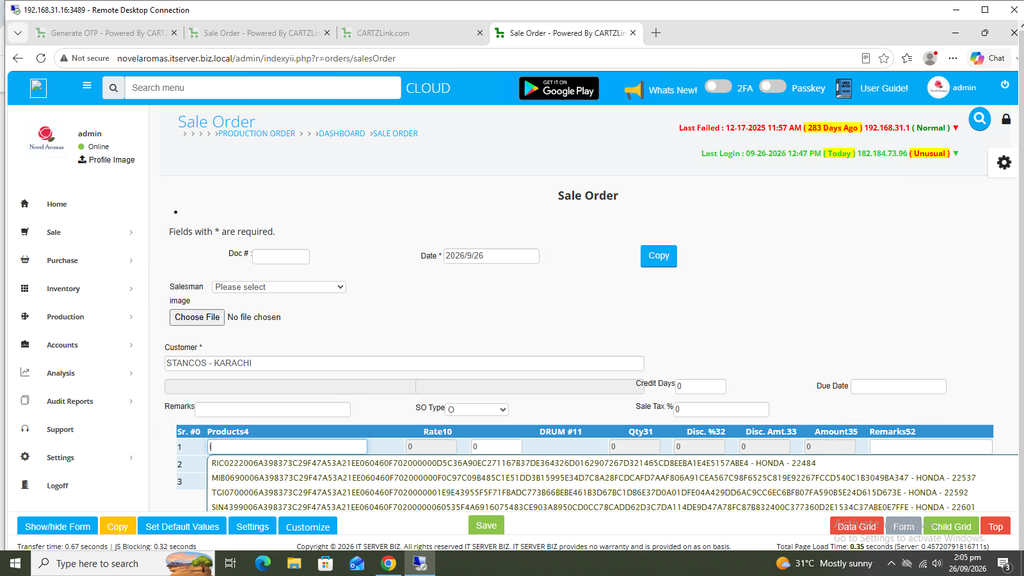
Now select the product.
Once selected, the current stock for the product will appear on top.
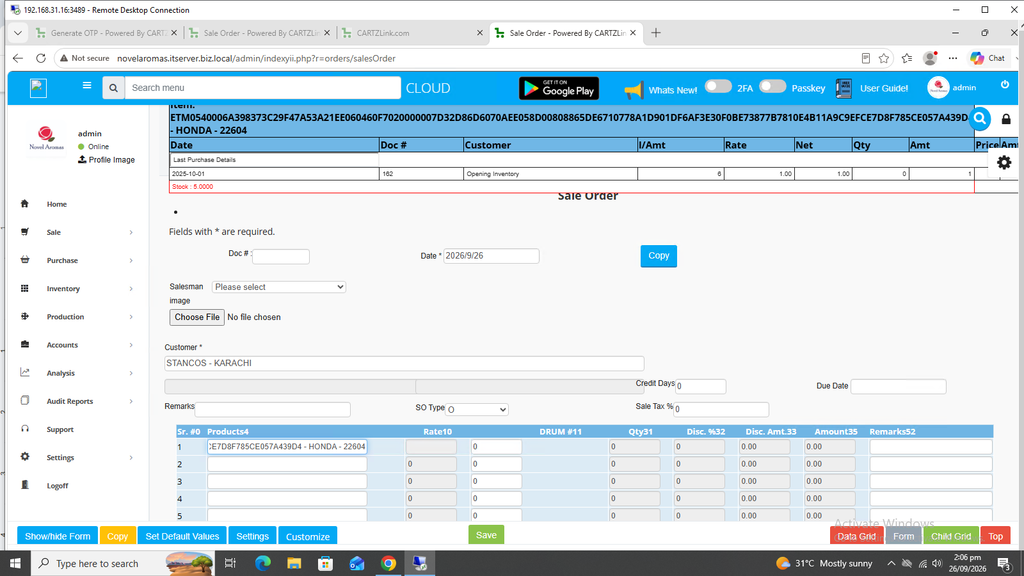
Enter the quantity.
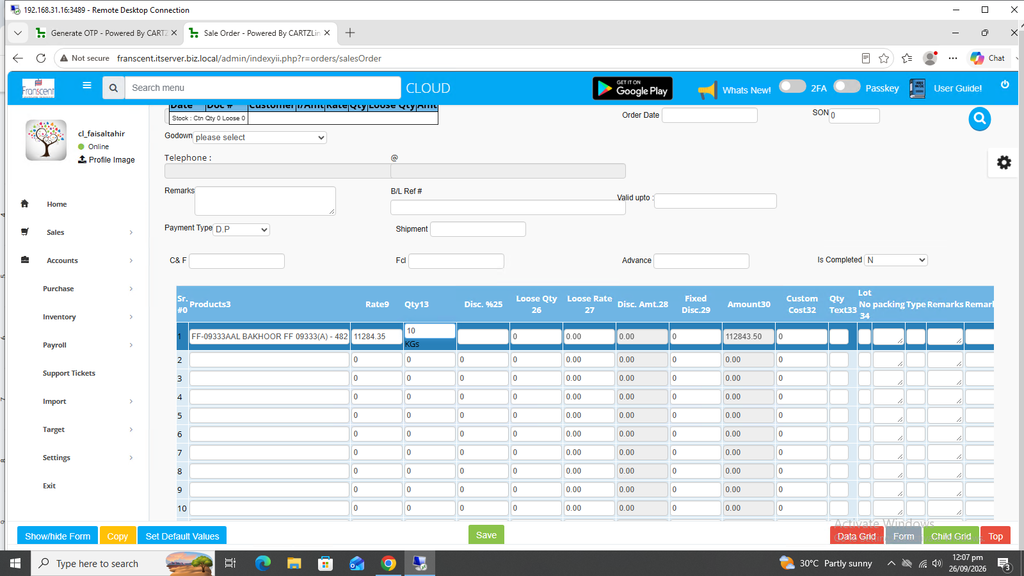
You may enter Payment Terms also.
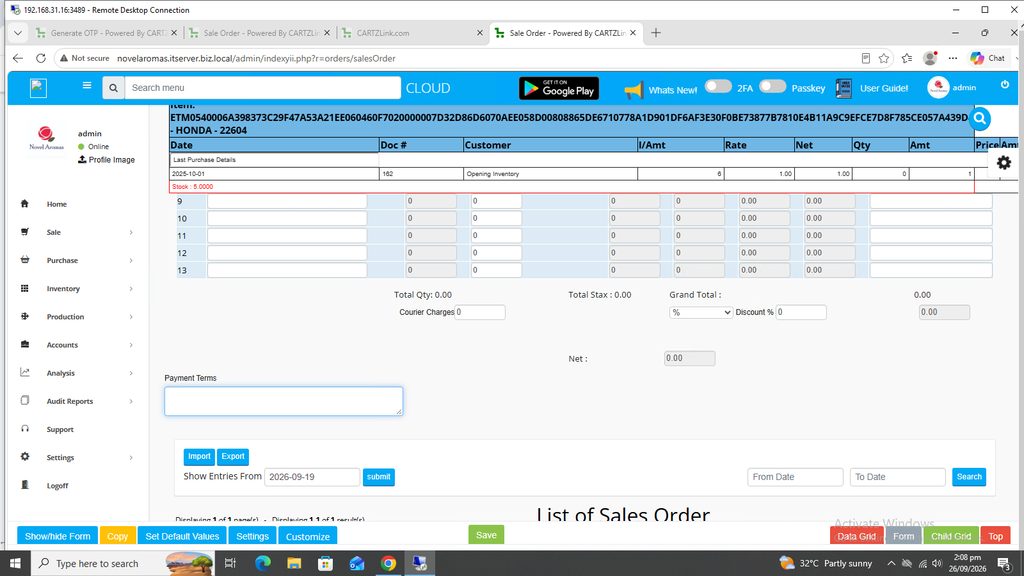
Once all information is completed, click on the Green Save button at the bottom.
Your Sales Order has been created and Saved.
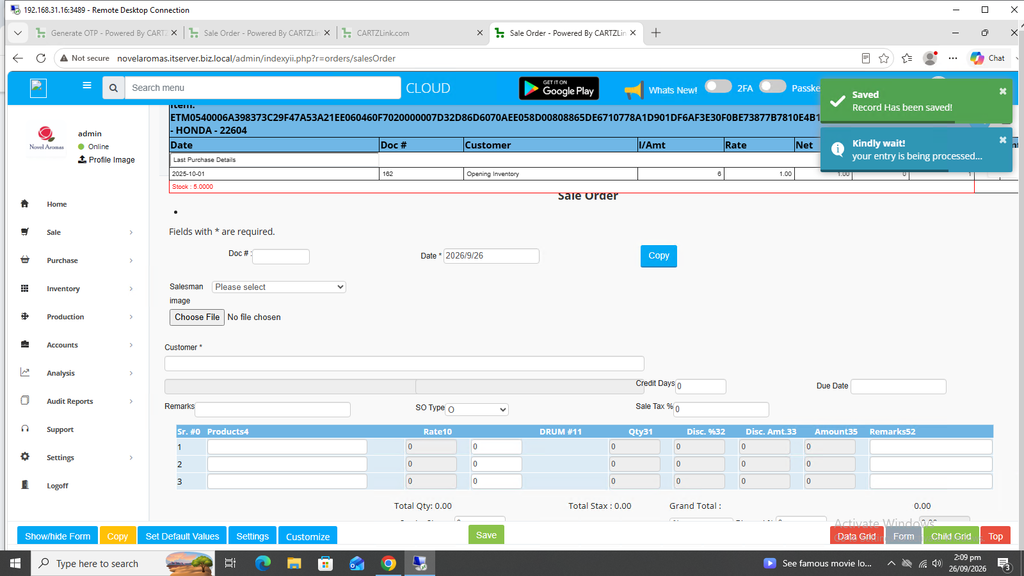
This Sales Order can be edited by clicking on the update button against this record.
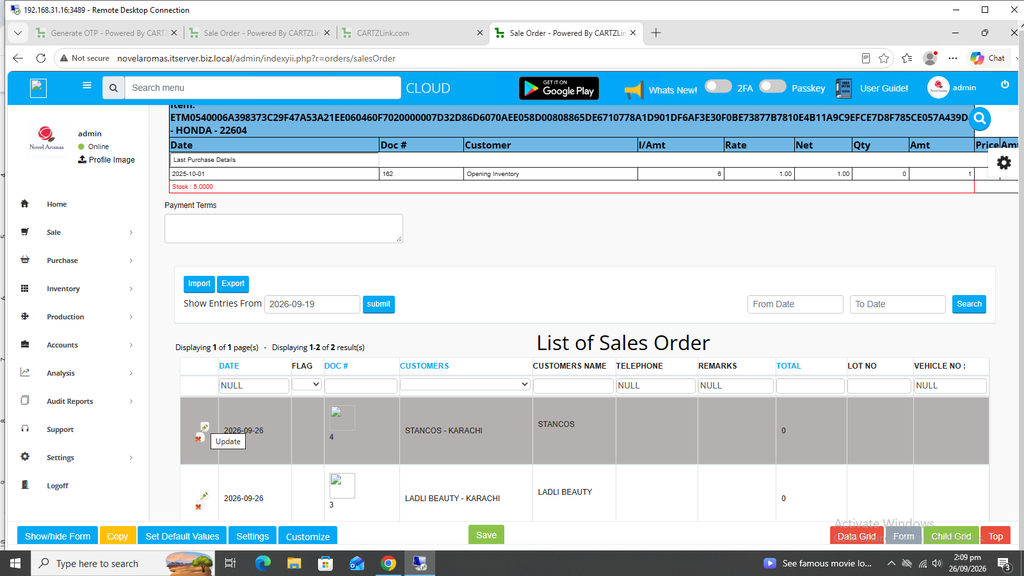
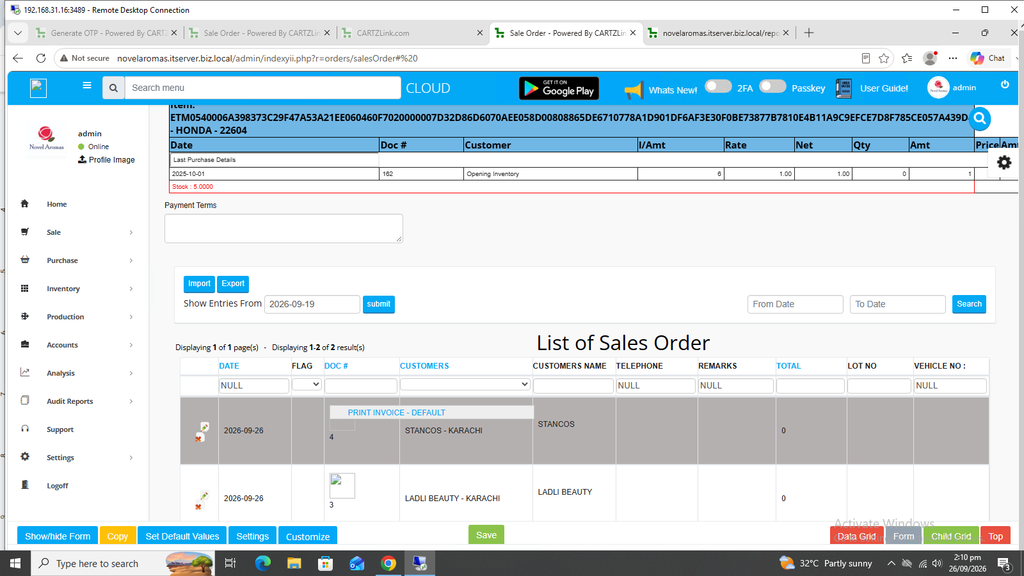
Also click on Print Invoice- Default..
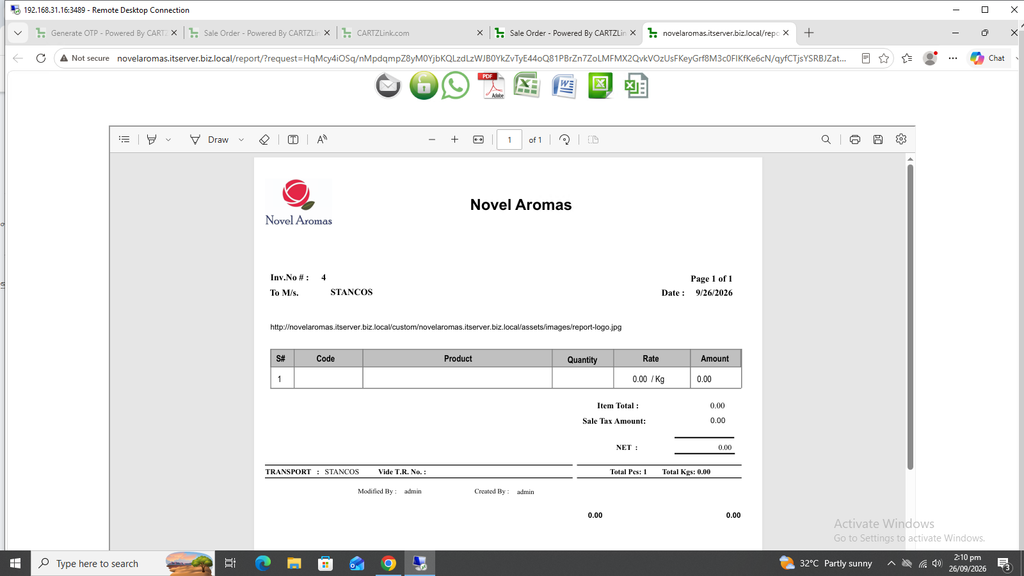
A New Window will open with Print / Save options against this Sales Order.
Related Articles

  • Merge Invoice

  • WIP Commander

  • Ingredient Formula

  • Support Tickets

  • Gate Pass

  • Transfer To Store

Recent Posts

  • Location View Report for WIP
  • Domain Suspend / Unsuspend Guide – Server Management
  • Drum Status Update for WIP
  • Drum Reconciliation Report for WIP
  • Purchase Formula List for WIP

Recent Comments

No comments to show.

Archives

  • November 2026
  • October 2026
  • September 2026
  • July 2026
  • June 2026
  • May 2026
  • April 2026
  • March 2026
  • February 2026
  • January 2026
  • December 2025
  • November 2025
  • October 2025
  • September 2025
  • August 2025
  • July 2025
  • June 2025
  • May 2025
  • April 2025
  • March 2025
  • February 2025
  • January 2025
  • December 2024
  • November 2024
  • October 2024
  • September 2024
  • August 2024
  • July 2024
  • June 2024
  • May 2024
  • April 2024
  • March 2024
  • February 2024
  • January 2024
  • December 2023
  • October 2023
  • September 2023
  • August 2023
  • July 2023
  • June 2023
  • May 2023
  • April 2023
  • March 2023
  • February 2023
  • January 2023
  • December 2022
  • November 2022
  • October 2022
  • June 2013
  • February 2013
  • August 2012

Categories

  • Account Settings
  • Accounts Manual
  • Add New
  • Administration
  • AI
  • AI Input
  • Billing
  • Career
  • CARTZ Link
  • Cloud Based ERP Guide For Developers
  • Coding Standards
  • Completed
  • Computer Administration
  • Copyright & Legal
  • CRM
  • Customer
  • Customization
  • DB STRUCTURE
  • Desktop Application
  • Development Department
  • Discussion / In Progress
  • ERP / CRM
  • ERP Manual
  • Franscent
  • Franscent Manual
  • GENERAL POLICY
  • Hosting
  • Hosting Support
  • HR Department
  • In Progress
  • Linux
  • Metro
  • Metro Analysis
  • Metro Manual
  • Mistakes to avoid
  • Mobile Apps
  • New Employee
  • PHARMA
  • POS
  • Project Plans
  • Projects
  • Quotations
  • Sales Department
  • Services
  • Uncategorized
  • Upgrading
  • Using KnowHow
  • Windows
  • WIP Commander
  • WIP Manual
  • Xen Server
  • 📢Whats New!🎉
© Copyright,  Streamline Systems