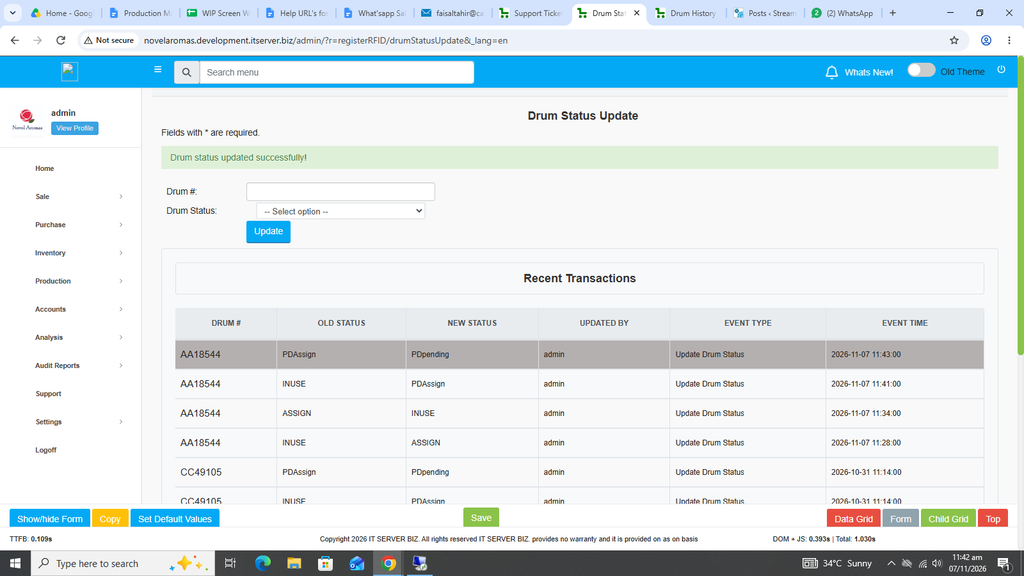
Drum Status Update:
Through this feature, we can update the status of any Drum to Assign, INUSE, PDAssign and PDPending.
First click on Production, then click Drum Status Report.
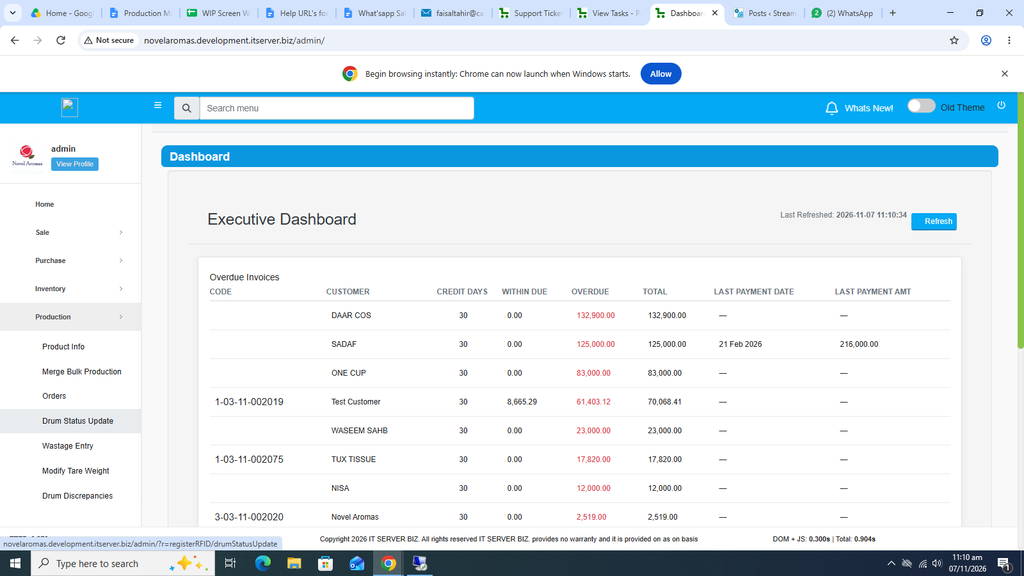
The following page will open as shown in the screen shot below.
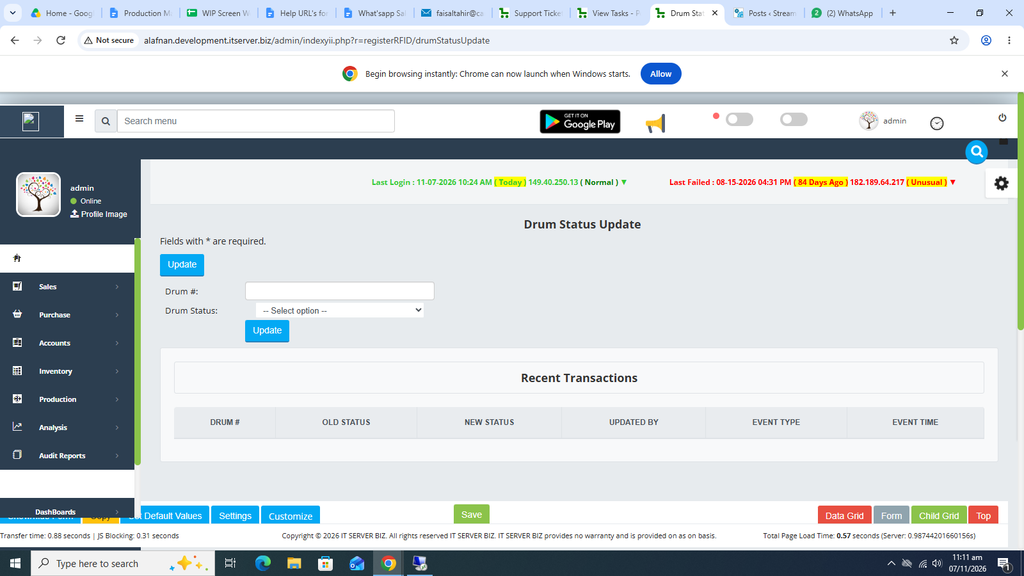
Now enter the Drum number in Drum # field.
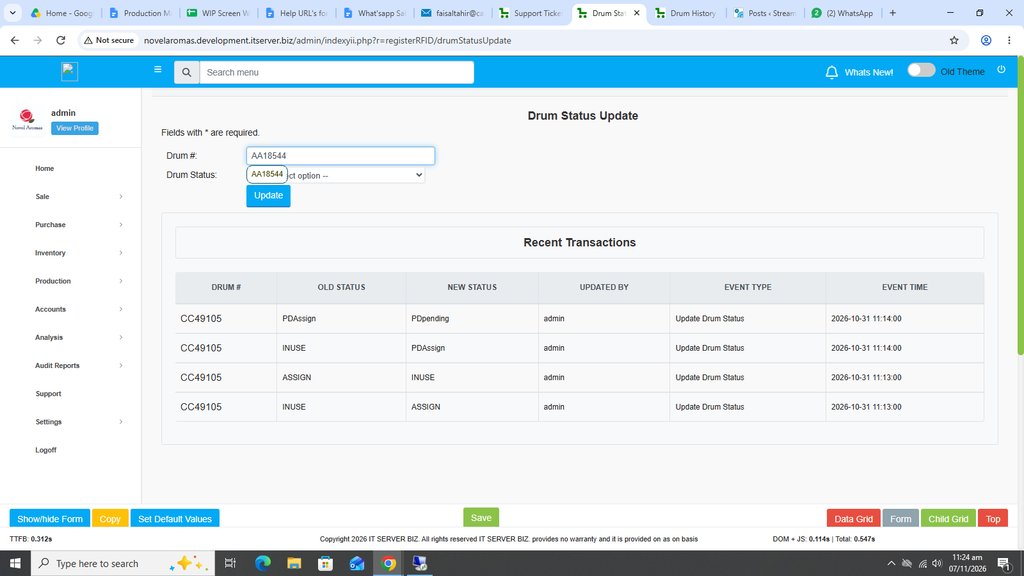
Click on Drum Status option and select the relevant status required against this Drum.
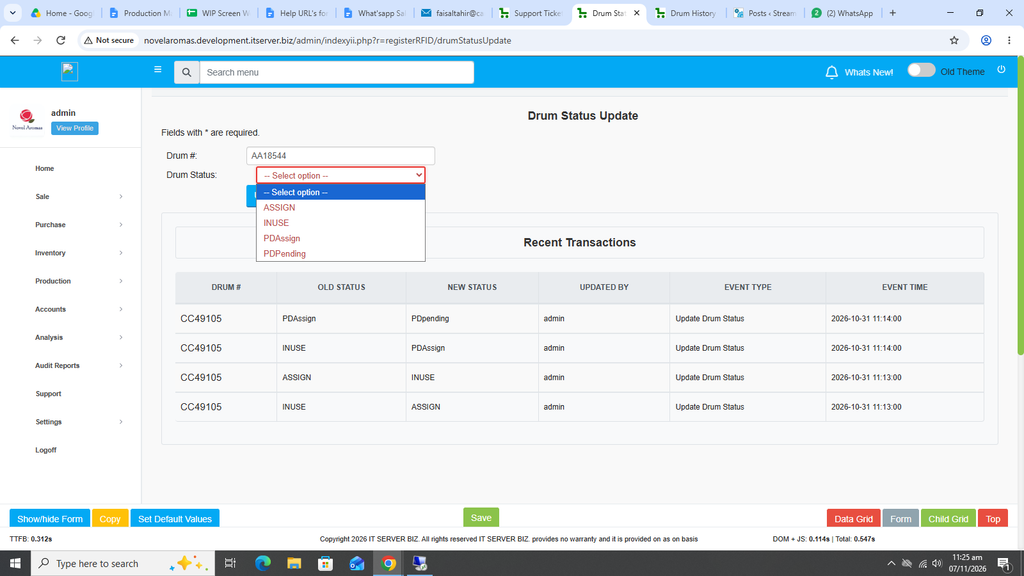
At first we have selected the option of ASSIGN against this Drum.
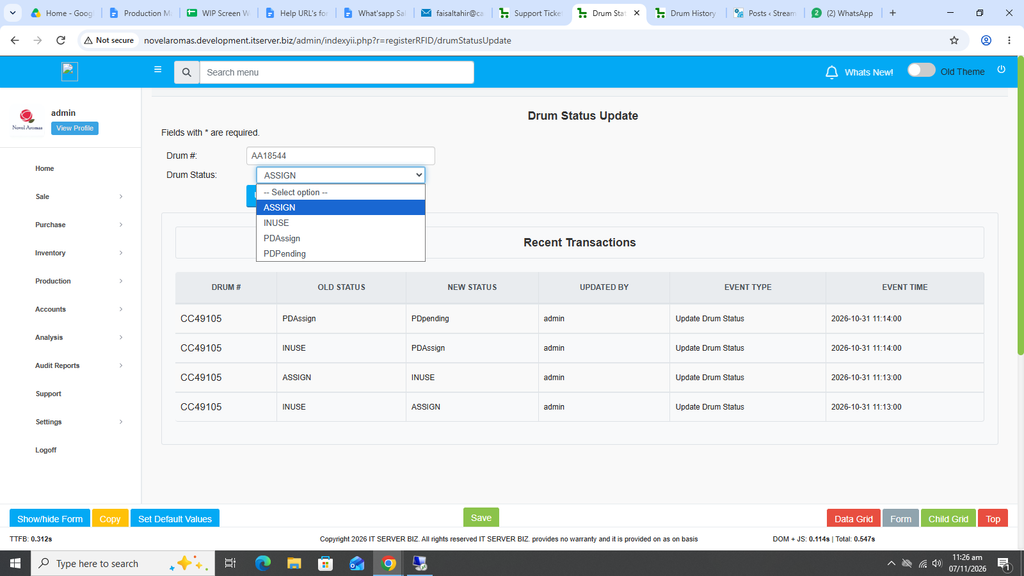
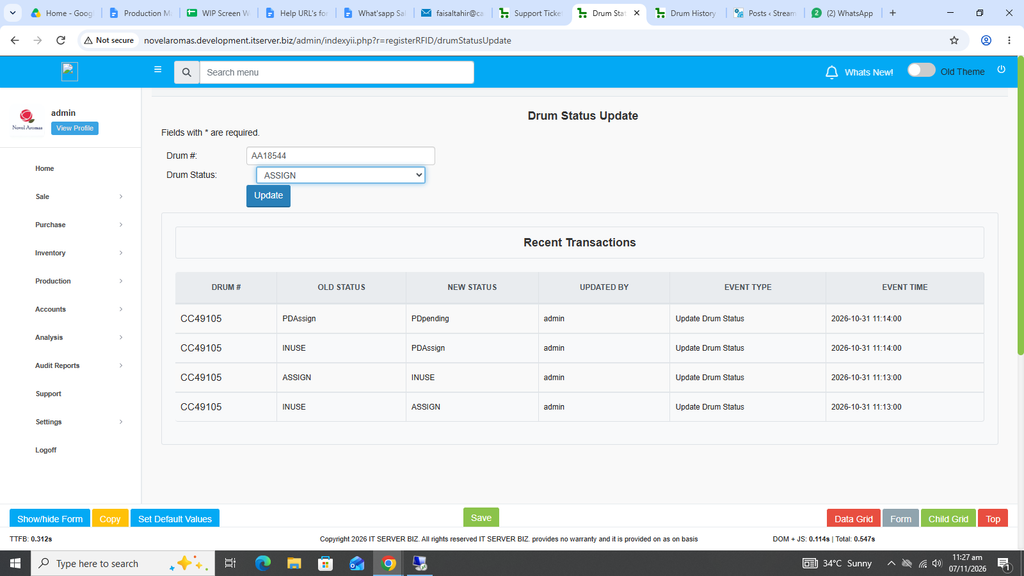
Once selected, click on the Blue Update button.
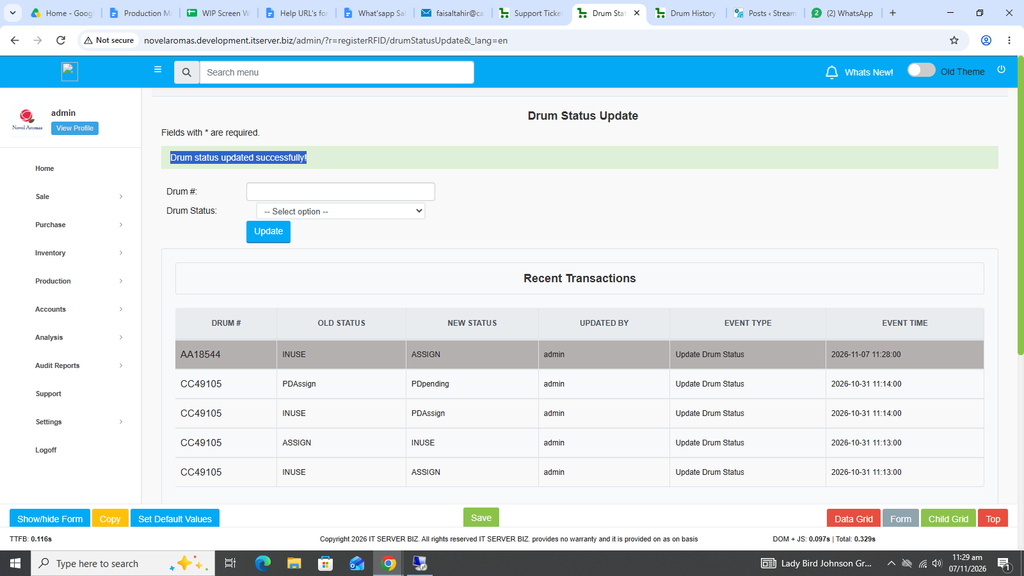
The message will appear Drum status updated successfully! And the Drum Status has been changed.
Similarly, if the Drum Status is required to be changed to INUSE, PDAssign or PDPending then again enter the Drum number again in Drum # field.
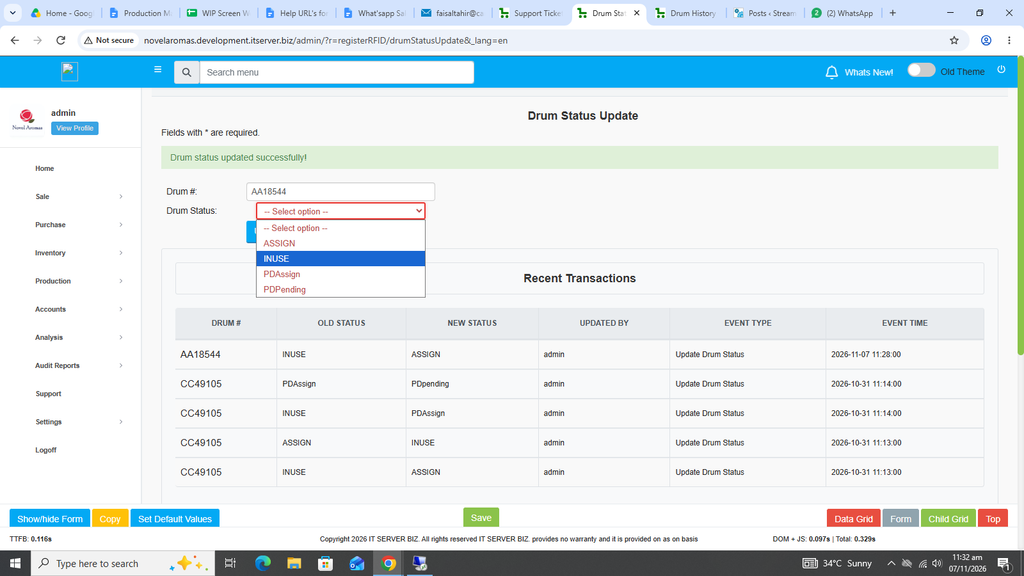
Now select INUSE option and click on the Blue Update button.
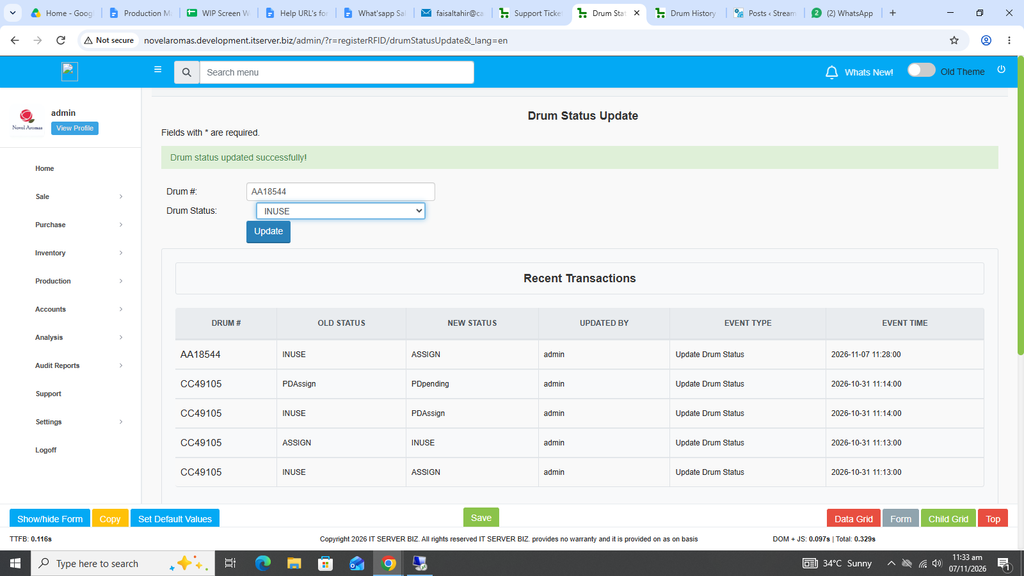
Drum Status update message will appear and the Status of the Drum has now been changed to INUSE.
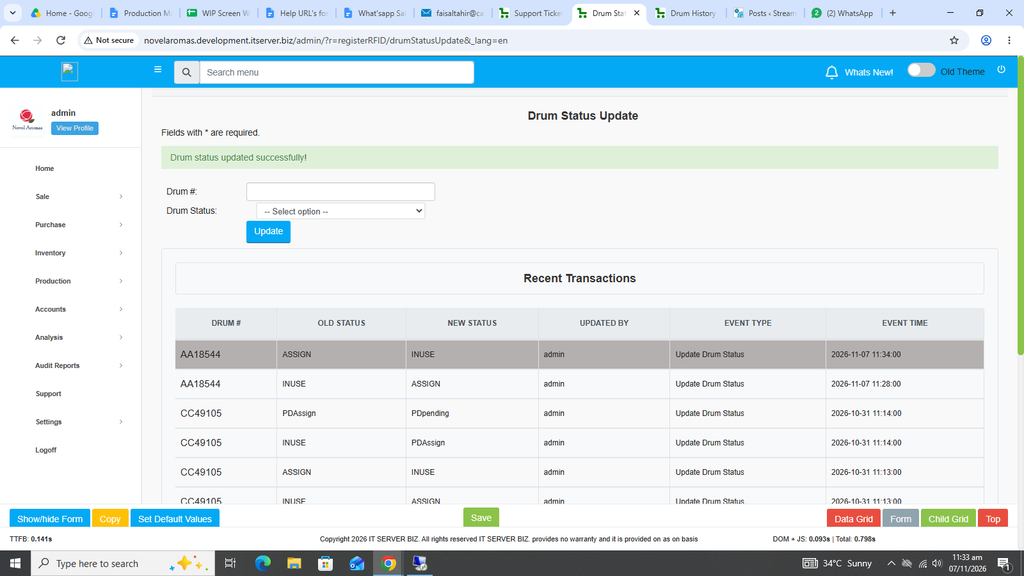
Also for PDAssign, enter the Drum number and select the PDAssign option against the Drum number.
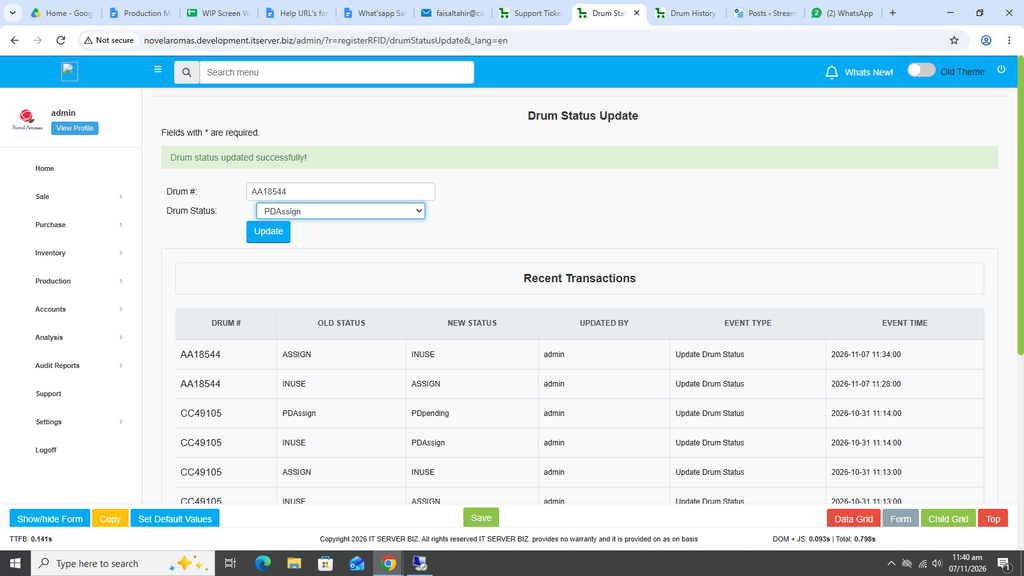
Click on the Blue Update button.
.
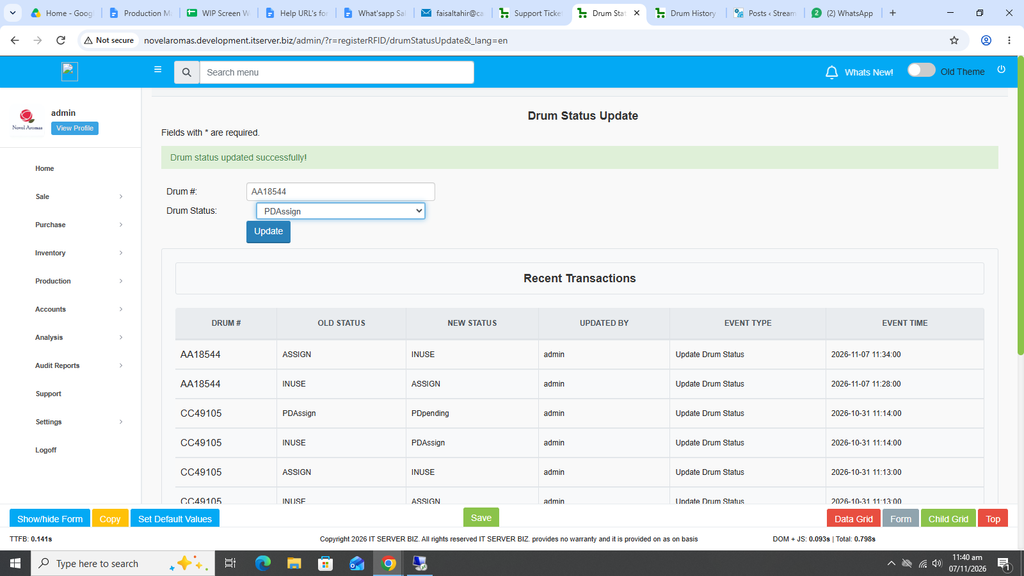
Drum Status update message will appear and the Status of the Drum has now been changed to PDAssign.
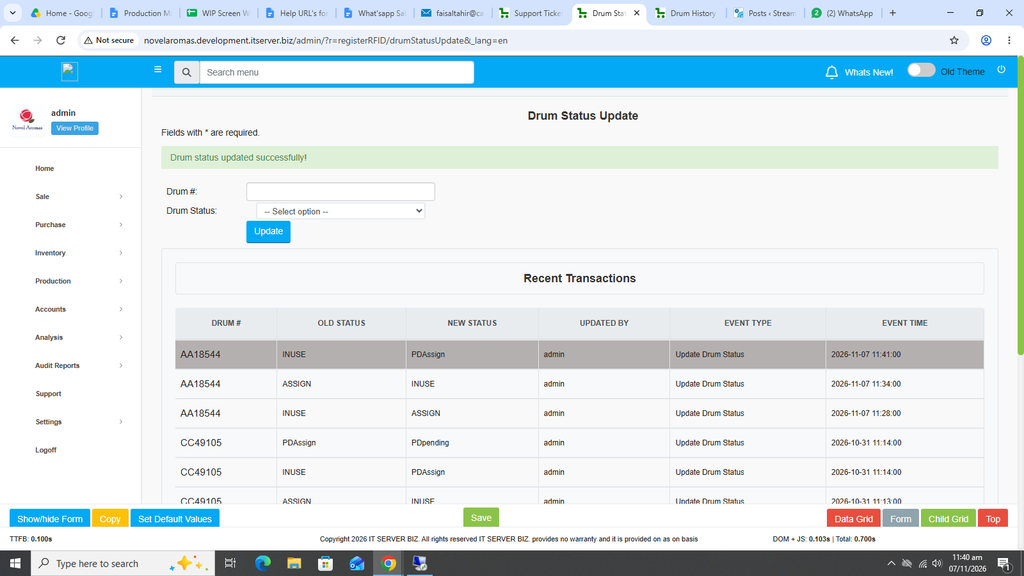
The same can be repeated for PDPending as per the requirement.
Select the PDPending option against the Drum number and click on the Blue Update button.
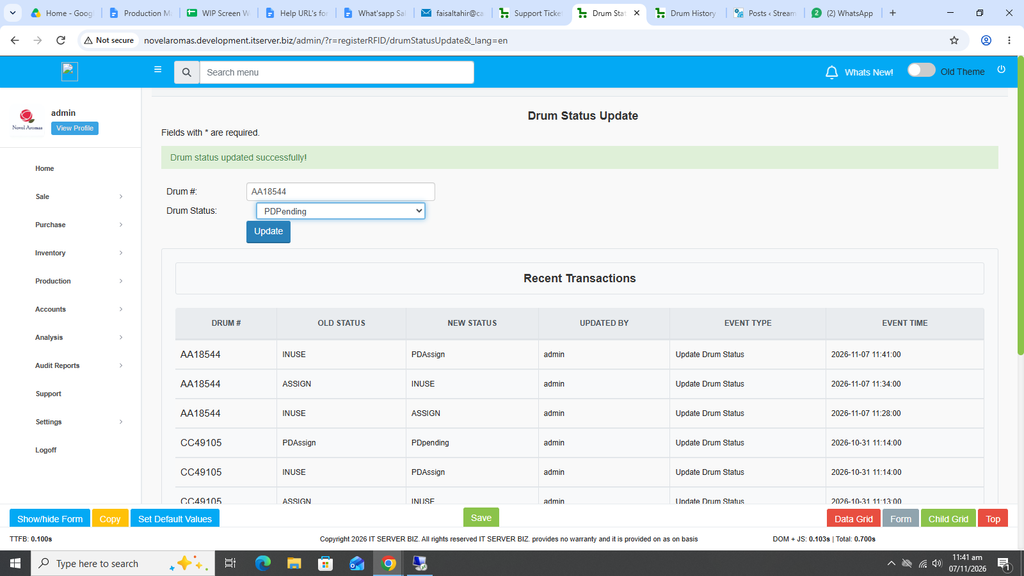
Drum Status update message will appear and the Status of the Drum has now been changed to PDPending.