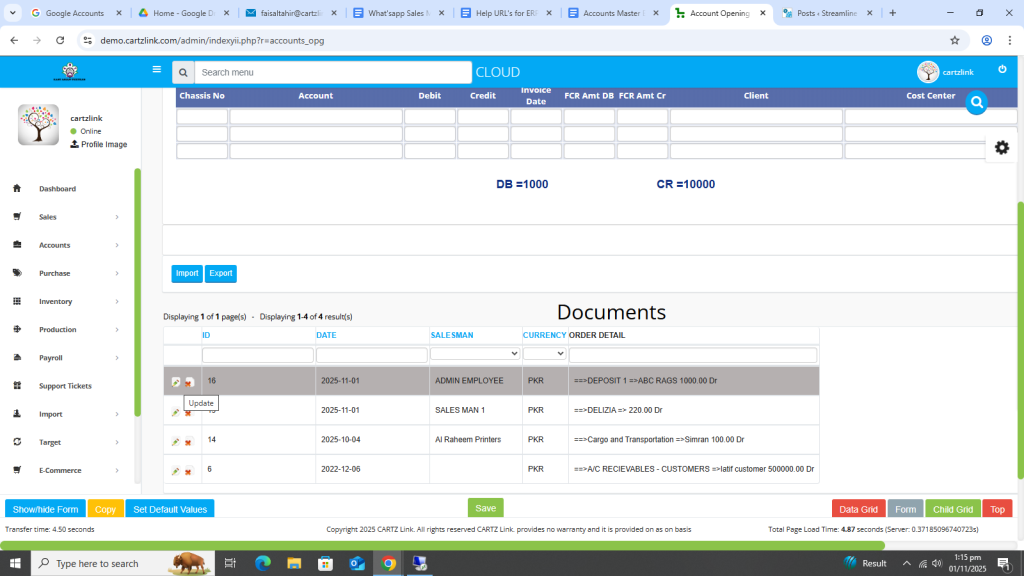
Accounts Opening:
This feature is used to create new accounts in the system. Go to Accounts, now click on Master Entry and then click on Accounts Opening.

The following page will open as shown in the screenshot below.
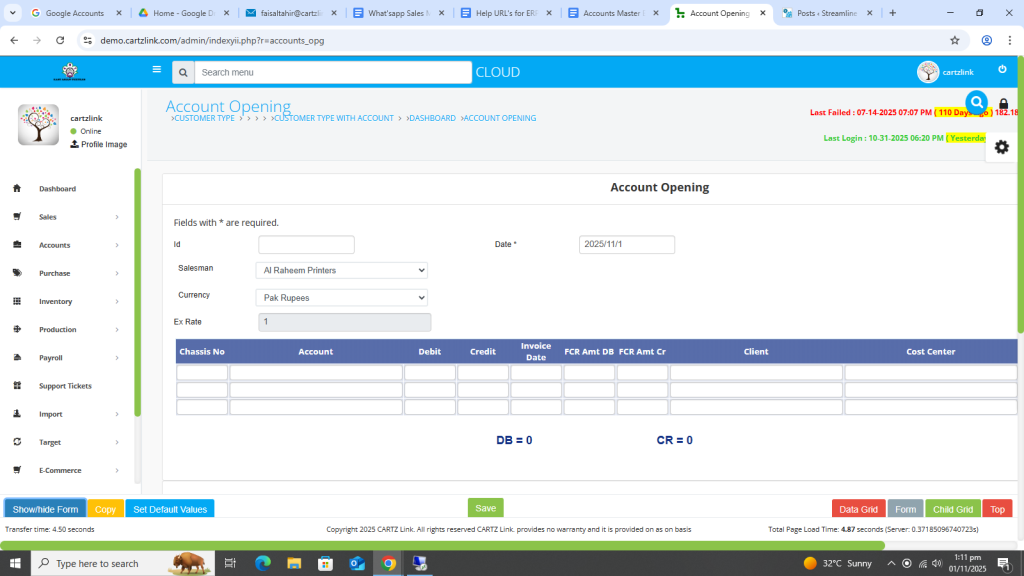
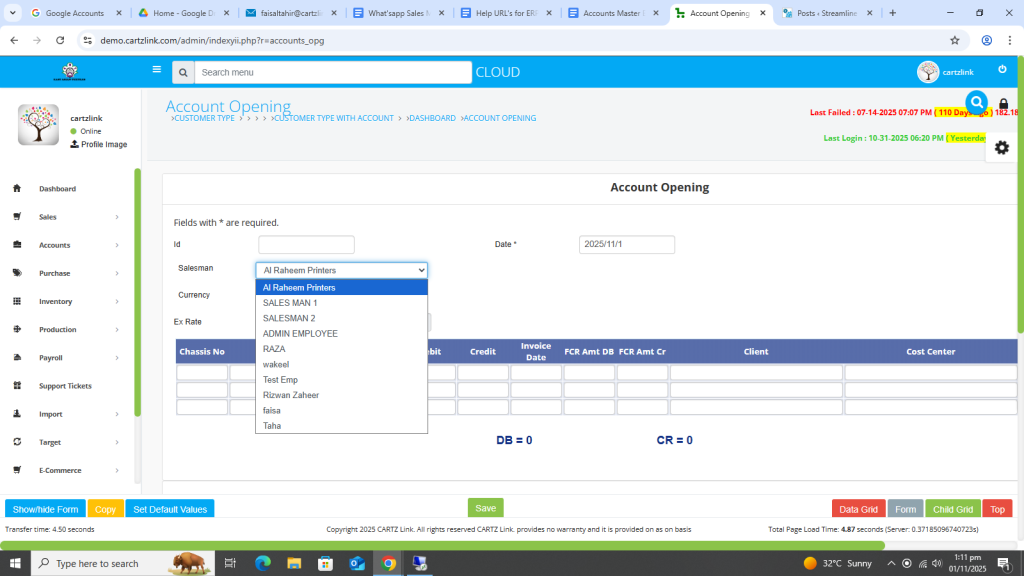
First select the Salesman.
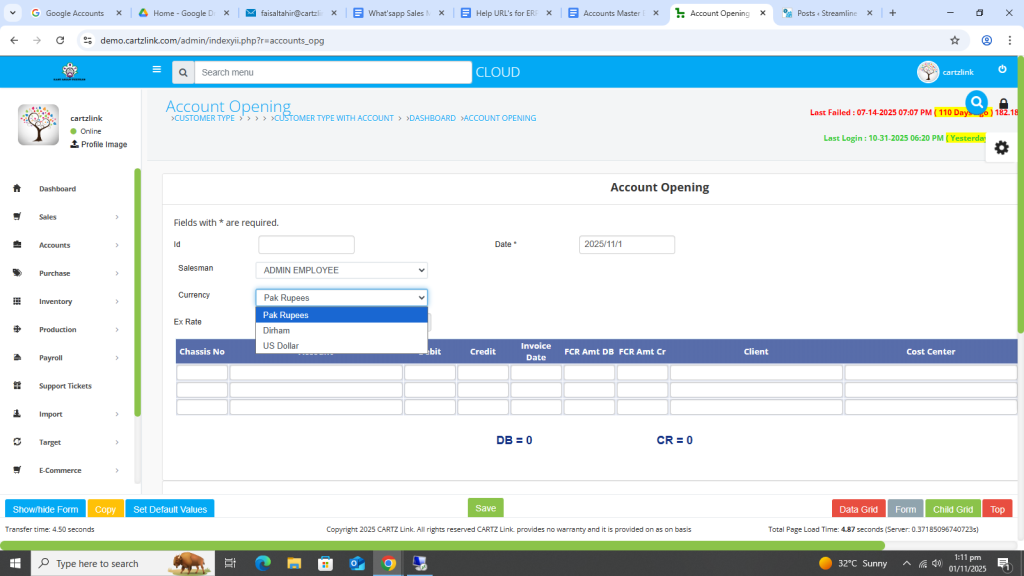
You may select the Currency.
Now enter the Account details.
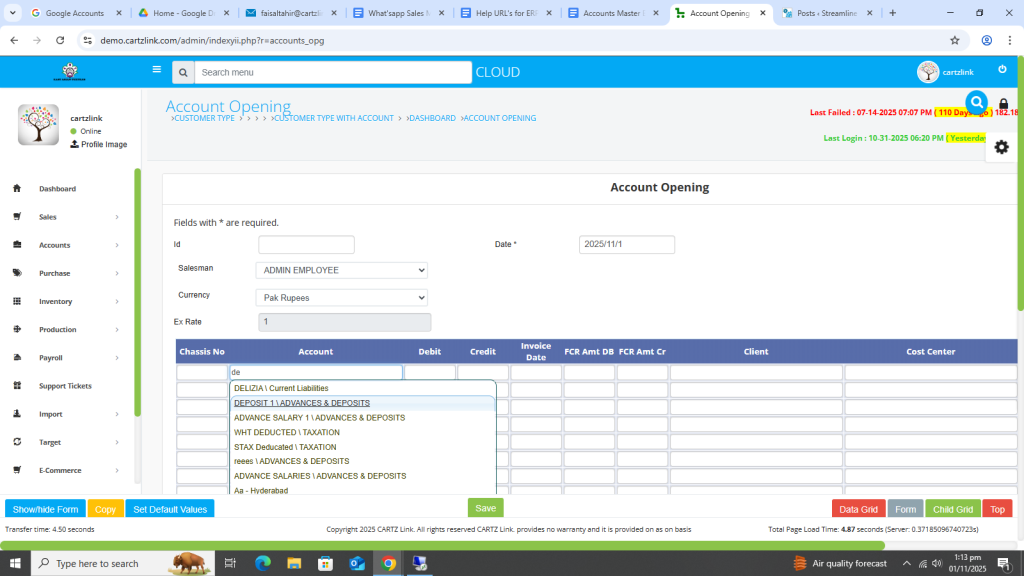
Input Debit/Credit Balance, Client and Cost Center details.
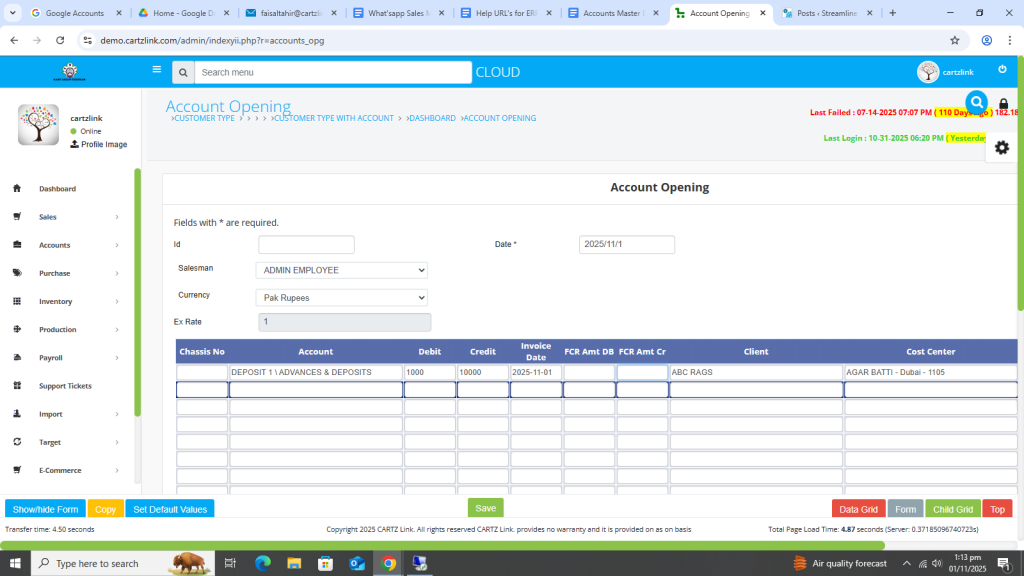
Once all relevant information is completed, click on the Green Save button at the bottom.

Your record has been created and saved.

You may edit it by clicking on the update button against this record.